How to pre-fill answers in the form?
If you already know some answers, such as a customer's name or email address, a blank form makes people type them again, and typing mistakes creep in. Google Forms makes a prefilled link from its ⋮ menu, but one link at a time, and it opens on Google's page. With Formfacade, you create prefill links from the Share tab, and the form opens with your answers already filled in, under your branding. For a list of people, you can send bulk emails with a prefilled link for each one.
Import your Google Form, or open one you have in Formfacade, and follow the steps below.
How to create a prefill link?
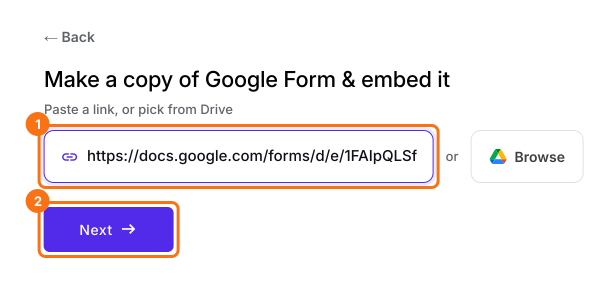
- On the page that opens, paste your Google Form's link or click Browse to pick it, then click Next. You land on the Share tab. For a form you already have in Formfacade, open it and click on "Share" tab.
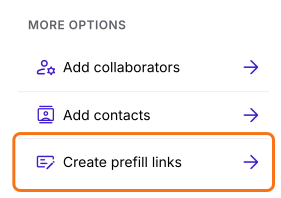
- Click Create prefill links under More options
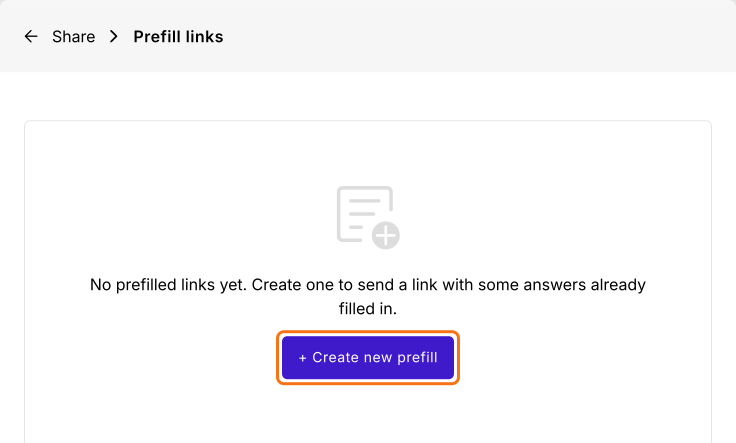
- Click + Create new prefill
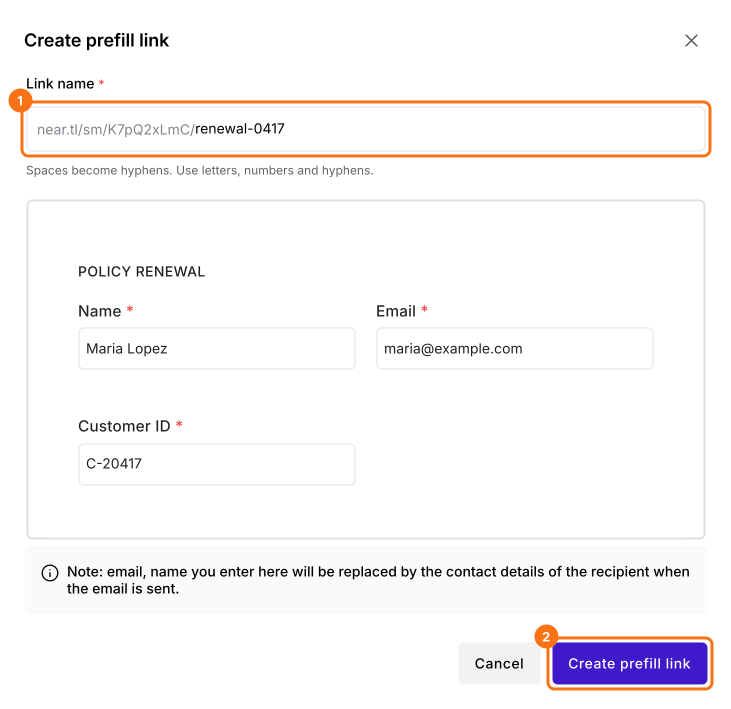
- Enter the unique name for the link
- Enter answers for the questions to be pre-filled
- Click Create prefill link
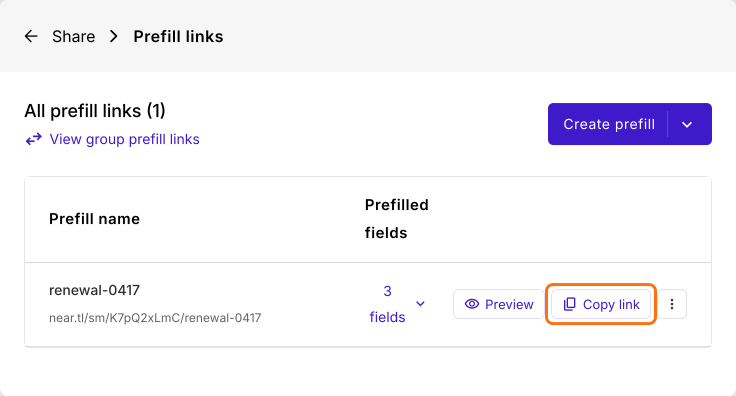
- Click Copy link to copy the pre-fill url
Summary
Prefill the answers you already know in your Google Form.
Import your Google Form and click Create prefill links on the Share tab. Enter the answers and copy the link, so the form opens with them filled in.