How to shuffle question order in Google Forms?
The order of your questions changes the answers: people tire toward the end, and earlier questions color the later ones. If everyone sees the same order, the last questions always get the least attention. Google Forms can shuffle the questions for each person with Shuffle question order, but the setting sits under Presentation on its Settings tab, where it's easy to miss. If your form is on your website with Formfacade, you open it in Google Forms from Formfacade's editor and turn the setting on there.
Import your Google Form, or open one you have in Formfacade, and follow the steps below.
How to open your form in Google Forms?
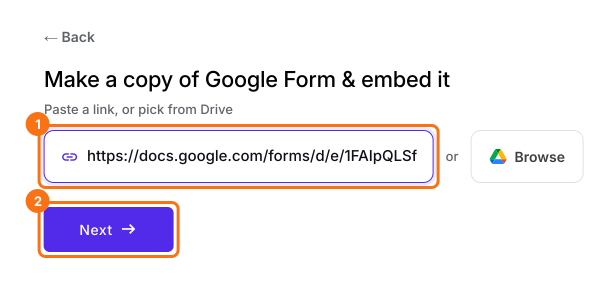
- On the page that opens, paste your Google Form's link or click Browse to pick it, then click Next. Your form opens on the Share tab. If you already have a form in Formfacade, open it instead.
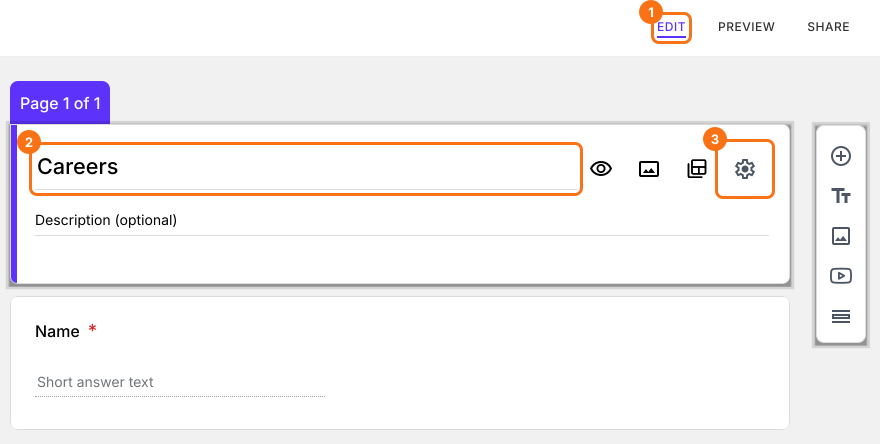
- Click on "Edit" tab

- Click on the form's title
- Click on the ⚙️ icon on the title card
- Click on the Advanced tab
- Click Launch next to "Edit this form with Google Forms"
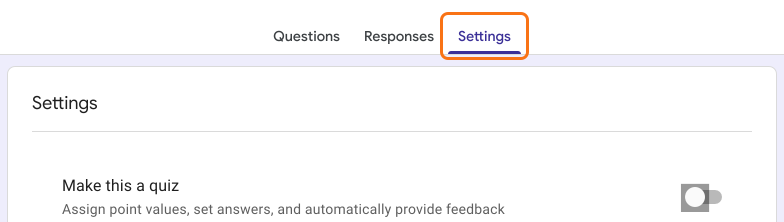
- Click on the Settings tab.
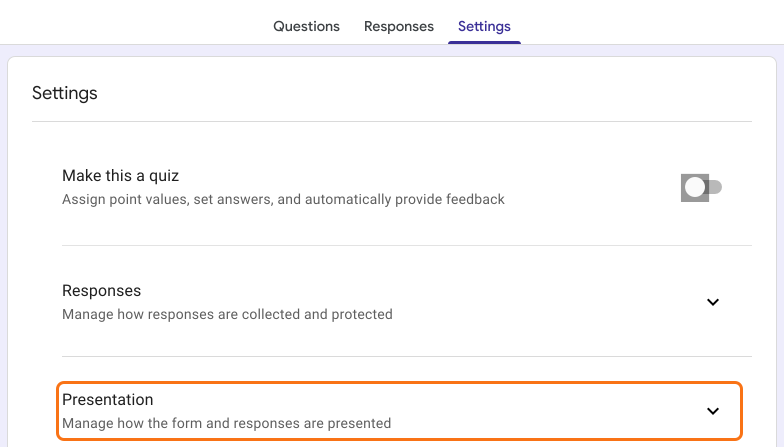
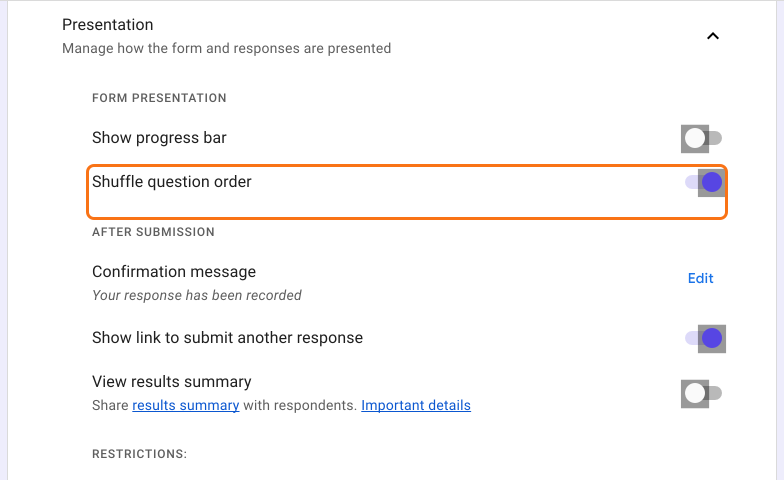
- Click on Presentation.
- Enable Shuffle question order.
Summary
Shuffle the question order in your Google Form.
Import the form on your website, open it with Launch and turn on Shuffle question order in Settings. Reopen the Edit tab and the order differs for each person.