How to allow users to enter the donation amount in the payment form?
"I want the customer to fill out an donation form of any amount."- Google Docs Editors Community
When you raise funds with a Google Form, each donor wants to give a different amount, and 30 people on Google's forum have asked how to take a donation of any amount. Google Forms can ask how much they'd like to give, but it can't ask them to pay what they typed. So you send a payment link separately and match each donation to a response by hand. With Neartail, donors type the amount in your form and pay it when they submit. The form carries your branding instead of Google's, so donors can see who they're giving to.
Let's start. Import your Google Form and follow the steps below.
Set up payments
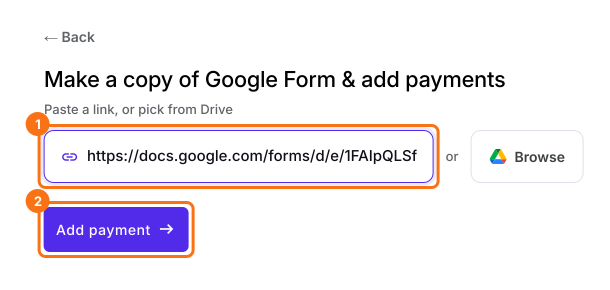
- On the page that opens, paste your Google Form's link or click Browse to pick it, then click Add payment.
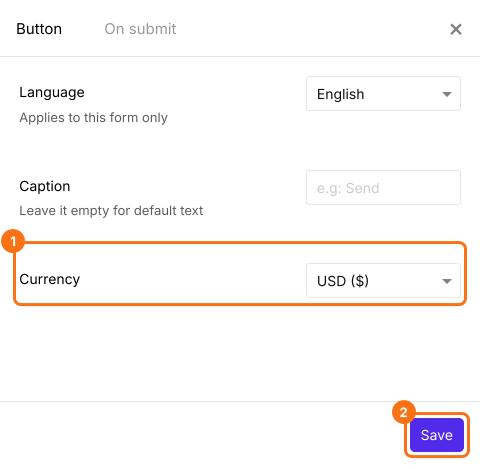
- Select your currency and click Continue.
- When it says "Your order form is ready", Neartail has made a product from each question with a price and added an order total and summary. If it says no products were found, add a price to any question.
- Click Preview your form. Then, under Manage, click Edit form to open the form builder.
- At the end of the editor, click Enable under Payments disabled, then click Enable next to Do you want to collect payment.
- If PayPal isn't under Manual payments, your form is in a currency PayPal doesn't take. Close the Payments panel, click the gear icon in the After payment row, the last row above the Submit button, select the currency you charge in and click Save. Then click Edit in the Payments row.
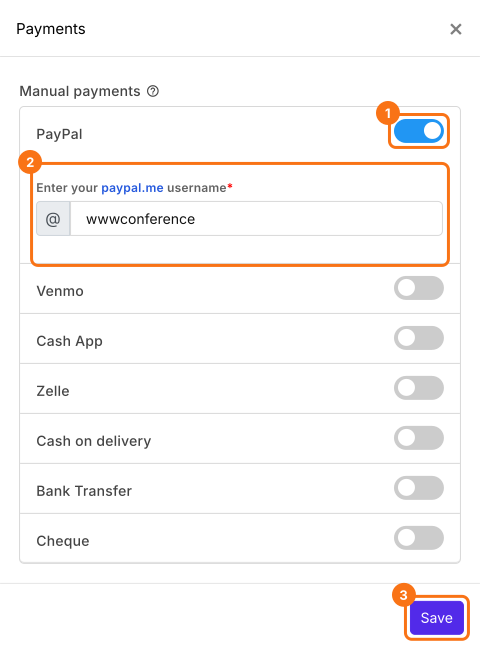
- Under Manual payments, turn on PayPal, enter your paypal.me username and click Save.
Add the Donation field
- Delete the product cards you don't need with the delete icon at the bottom of each card.
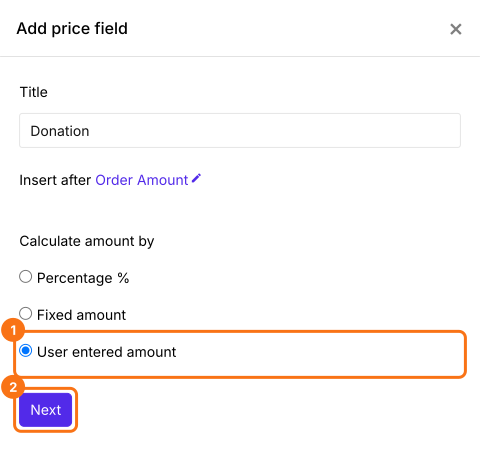
- Click the Add price field icon, select Donation and click Next. Select User entered amount, click Next and click Create. Click Save in the panel that opens.
- Click Preview and fill in the form to try it.

Summary
Let donors type their own amount in your Google Form.
Import the Google Form you raise funds with and add a Donation field with User entered amount, so donors type what they give and pay it on submit.