How to Create a WhatsApp Order Form
"How to submit responses from a Google Form to WhatsApp?"- Google Docs Editors Community
If your customers already message you on WhatsApp, that's where you want their orders. A Google Form can't send anything there, and 468 people on Google's forum have asked how to send its responses to WhatsApp. Taking the order in chat instead means typing out every product and adding up totals by hand. With Neartail, your Google Form becomes a WhatsApp order form: the customer picks from your products, sees the order summary and the total, and on submit the whole order opens in WhatsApp as a message to your number. They press send, and you reply in the same chat.
Import your Google Form and follow the steps below.
Step 1: Import your Google Form
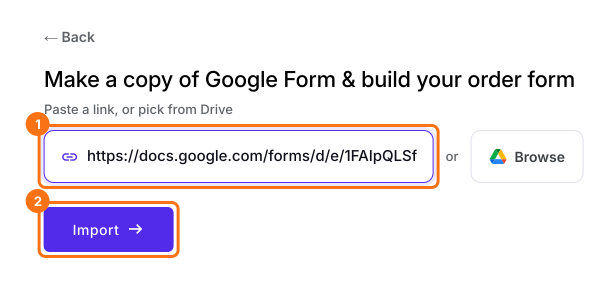
- On the page that opens, paste your Google Form's link or click Browse to pick it, then click Import.
- Select your currency and click Continue.
- When it says "Your order form is ready", Neartail has made a product from each question with a price and added an order total and summary. If it says no products were found, add a price to any question.
- Click Preview your form. Then, under Manage, click Edit form to open the form builder.
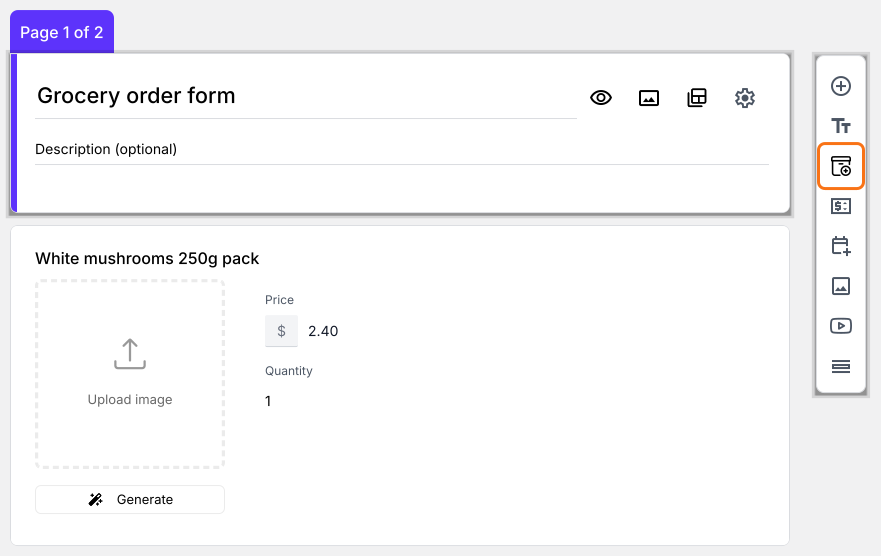
- ADD PRODUCTS AND PRICES: Your form now has a product for each question that had a price
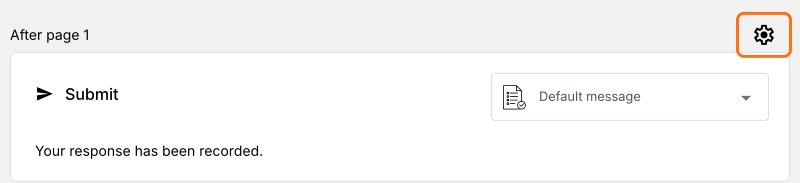
- To change the currency, click on the ⚙️ icon in the last After page row above the Submit button, change Currency and click on Save
- To add another product, click on the product before it and click Add product in the toolbar on the right. For example, "Grocery Essentials Kit#1 Pulses,Tea powder, Oil"
- (Optional) Add images of your products
- Delivery details: Check that your form asks for the customer's name, phone number and address
- Order Total and Order Summary: Your form now has an order total that adds up by itself and a section that shows the bill
Step 2: Configure your WhatsApp number with this form
- Your form does not send to WhatsApp until you do this. Click on the ⚙️ icon in the last After page row above the Submit button
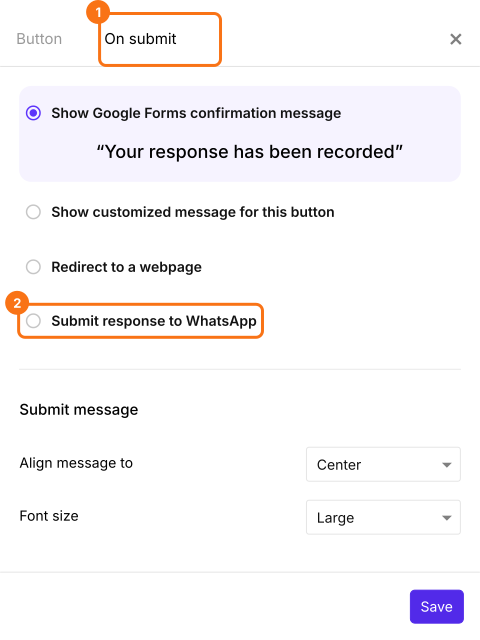
- Click on the On submit tab and select Submit response to WhatsApp
- Enter the WhatsApp number that you have handy to test it in Route to this number, such as +1 650 354 2345.
- Click on Save
Final Step: Testing!
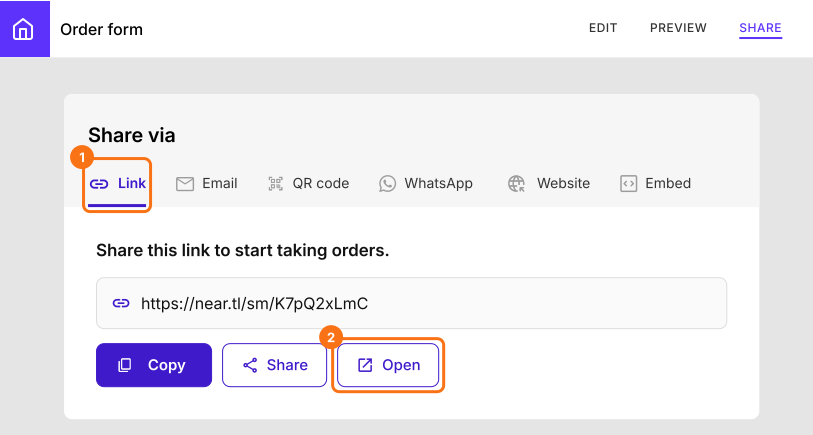
- Click on "Share" tab, click Link and click Open
- It is better to use two different WhatsApp numbers for testing. One to submit a test order like a customer and the other to receive the order, like the store owner
- Create a test order by entering your choices on your order form
- You can notice that the Order summary and the Total are neatly calculated before you submit the form
- Click on "Submit"
- On a computer, it says "Scan this QR code to confirm your order!". Scan it with your phone or, if WhatsApp is installed on this computer, click the "click here" link
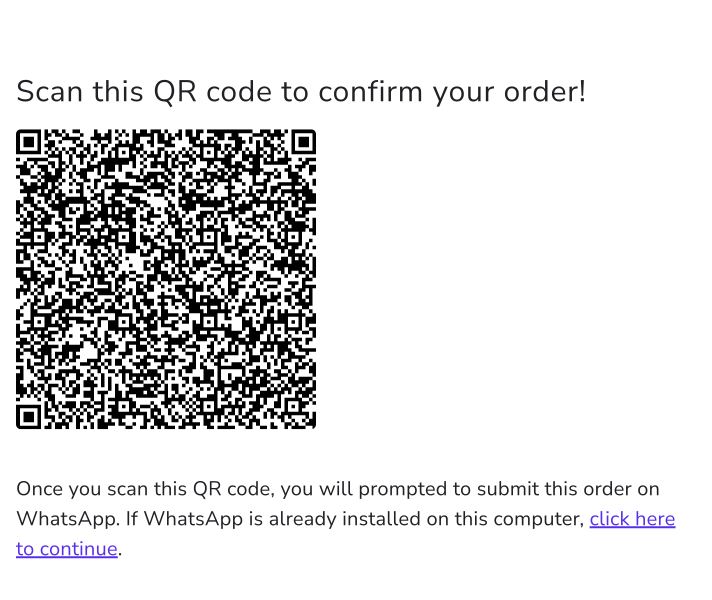
- It opens your WhatsApp and asks if you want to "Chat on Whatsapp with XXXXXXXX" (the number that you configured earlier)
- Continue with the chat
- Your order and contact details are readily copied into the WhatsApp chat
- Press send button to confirm
- The order reaches the WhatsApp number you set up
Summary
Send orders from your Google Form to WhatsApp.
Import the Google Form your customers order from and choose Submit response to WhatsApp, so each order opens in WhatsApp as a message to your number.