How to Create a Google Order Form
"the customer can see the product and the price together in the form"- Google Docs Editors Community
You can make an order form in Google Forms: a checkbox or a grid for your products, a quantity for each, a few questions for the address. What you can't make it do is add up. 47 people on Google's forum have asked how to put a price list in a Google Form. Customers pick and submit without seeing what they owe, the form can't take payment, and every response leaves you working out a total and messaging it back. A Sheet shared as an order form adds up, but each customer needs their own copy. Neartail gives a Google Form prices, a quantity for each product, a total and an order summary on one page, and sends the customer a confirmation.
Below are three ways to take orders with Google Forms or Sheets, and where each one falls short.
Option 1: A plain Google Form
- Add a Checkboxes question with your products, or a Multiple choice grid with your products as rows and quantities as columns
- Put each price in the product's name, such as Cupcake $3
- Add Short answer questions for the name, phone and address
Option 2: An order form in Google Sheets
Option 3: An order form with Neartail
Step 1: Import your Google Form
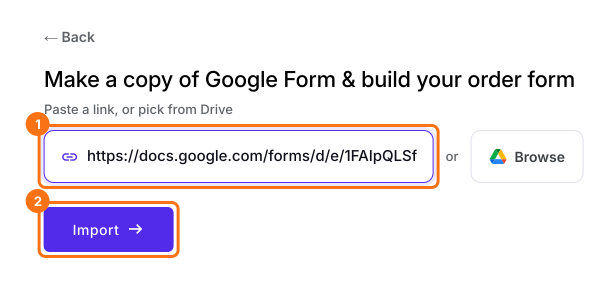
- On the page that opens, paste your Google Form's link or click Browse to pick it, then click Import.
- Select your currency and click Continue.
- When it says "Your order form is ready", Neartail has made a product from each question with a price and added an order total and summary. If it says no products were found, add a price to any question.
- Click Preview your form. Then, under Manage, click Edit form to open the form builder.
- ADD PRODUCTS AND PRICES: Your form now has a product for each question that had a price
- To change the currency, click on the ⚙️ icon in the last After page row above the Submit button, change Currency and click on Save
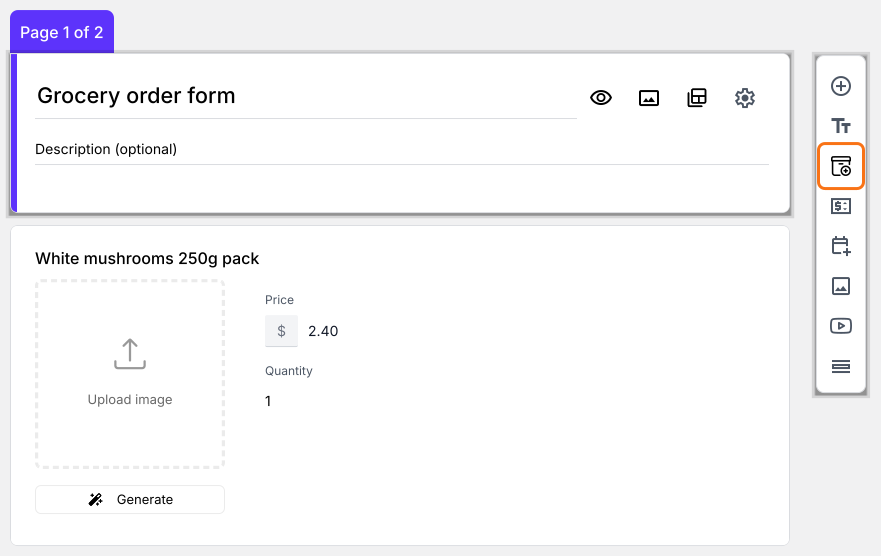
- To add another product, click on the product before it and click Add product in the toolbar on the right. For example, "White Mushrooms 250g pack"
- (Optional) Add images of your products with Upload image on the product
- Delivery details: Check that your form asks for the customer's name, phone number and address
- Order Summary: Your form now has an order total that adds up by itself and a section that shows the bill
Step 2: Preview & test the form and its calculations
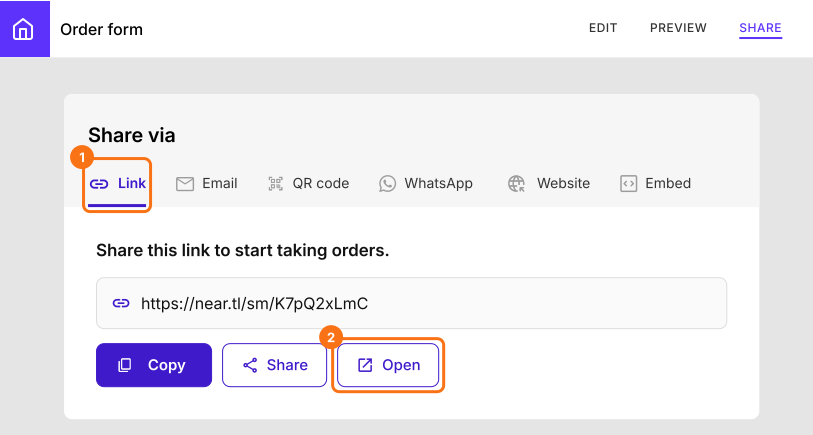
- Click SHARE, click Link and click Open
- Pick some products and change the quantities. The bill and the order total change as you do
- Fill in your details and click Submit. The order appears in the ORDERS tab
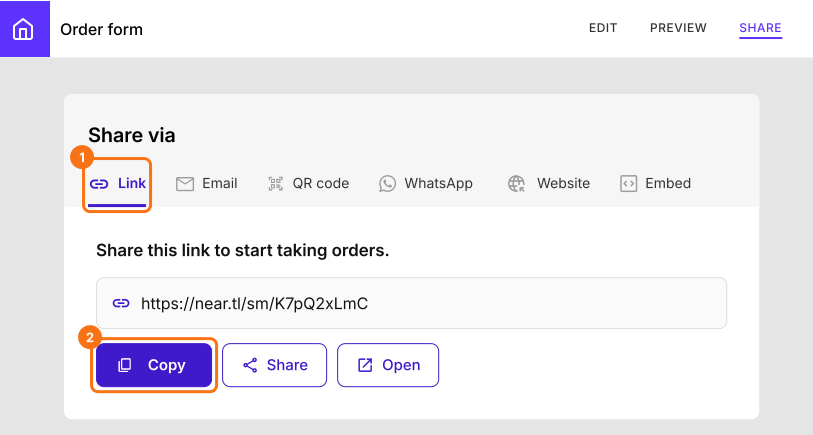
Share your Google Order Form with your customers
Summary
Turn your Google Form into an order form.
Import your Google Form and select your currency. Each question with a price becomes a product and customers see the bill and the total change as they pick.