How to calculate the total quantity ordered by the users?
Google Forms can ask how many of each product someone wants, but it won't add those numbers up. When a deal or a fee depends on the size of the order, a free item for every dozen or a shipping charge per item, you count each response yourself. In Neartail, every order form has an Order Quantity that uses the QUANTITY function, so the count is on your Google Form and changes as the customer picks. Other fields can use it too, for a discount, a delivery fee or a minimum order.
Import your Google Form and follow the steps below.
How to calculate the order quantity?
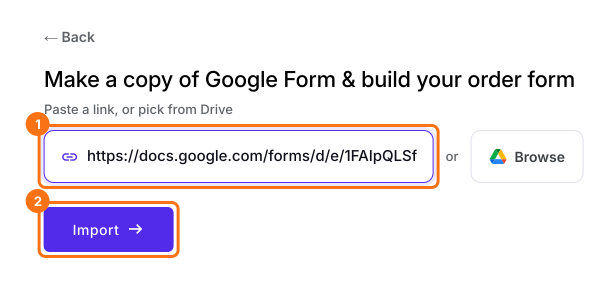
- On the page that opens, paste your Google Form's link or click Browse to pick it, then click Import.
- Select your currency and click Continue.
- When it says "Your order form is ready", Neartail has made a product from each question with a price and added an order total and summary. If it says no products were found, add a price to any question.
- Click Preview your form. Then, under Manage, click Edit form to open the form builder.
Your form now has your products and an order total question that adds up by itself. In this article, it's called Order Amount.
- Click on the Order Amount question, then click Add field in the toolbar on the right
- Enter Order Quantity as the new question's title, then click the ⚙️ icon
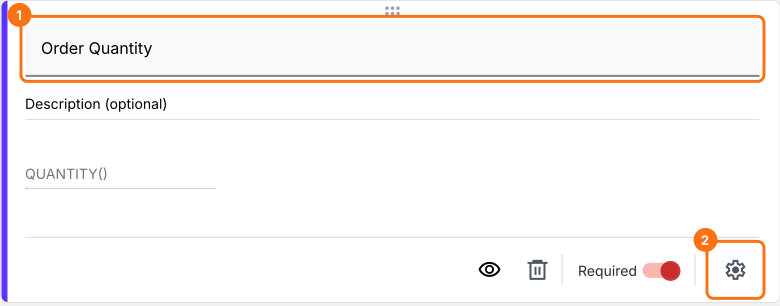
Use QUANTITY function to calculate order quantity
You can use the QUANTITY function to calculate the order quantity. The syntax for the QUANTITY function is:
QUANTITY(currency)
where
- currency - currency symbol or text used to display the price of the products.
For example:
- If the price format is $50 each, $5.75 per kilo etc, the formula to calculate the order quantity is QUANTITY("$")
- If the price format is €50 each, €5.75 per kilo etc, the formula to calculate the order quantity is QUANTITY("€")
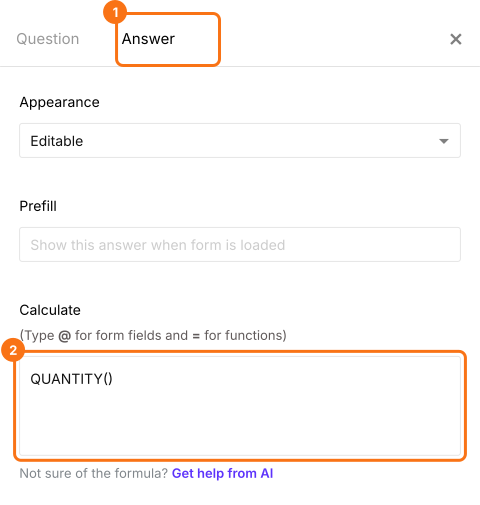
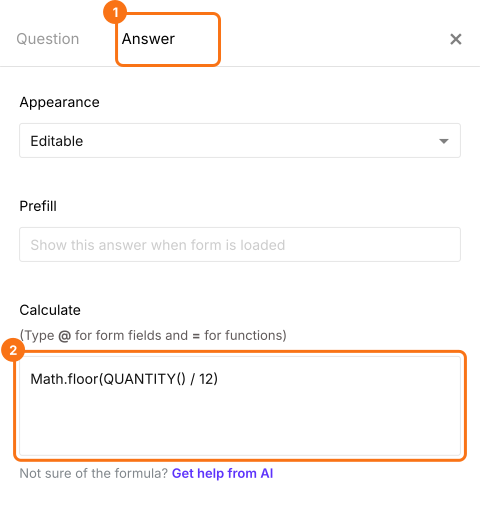
- In Field settings, select the Answer tab. Write the QUANTITY function in the Calculate option as shown below and click Save
Baker's dozen: How to offer a free cookie for every dozen?
- Click on the Order Quantity question, then click Add field in the toolbar on the right
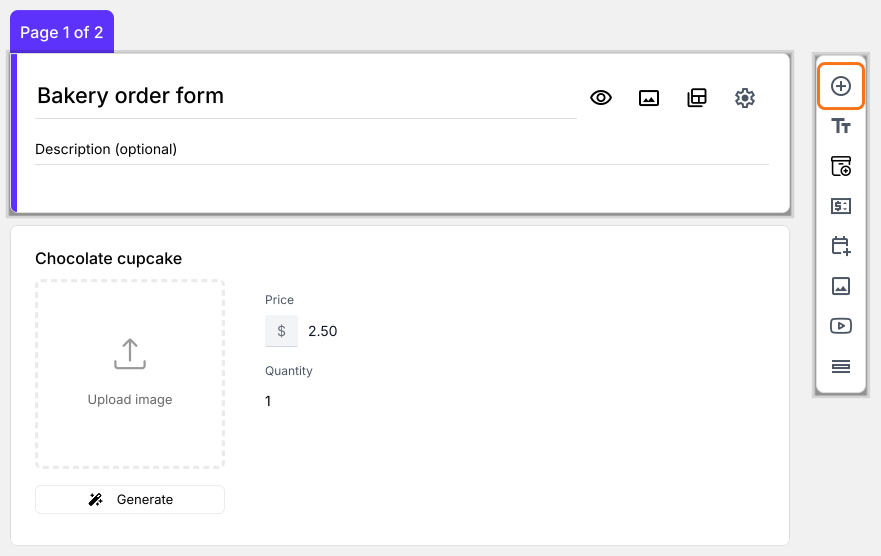
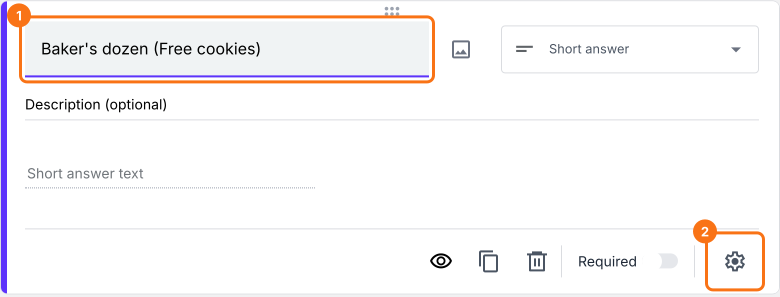
- Enter Baker's dozen (Free cookies) as the new question's title, then click the ⚙️ icon
Use Math.floor to calculate the number of dozens
Math.floor function returns the largest integer less than or equal to a given number. The syntax for Math.floor function is:
Math.floor(number)
where
- number - This could be a number or a calculation that returns a number.
Baker's dozen is 13. To offer a free cookie for every dozen that a user orders, we can calculate the number of dozens by dividing the order quantity by 12. Since we only need a round number, we can use the Math.floor function to calculate the exact number of free cookies.
Math.floor( QUANTITY() / 12 )
- In Field settings, select the Answer tab. Write the formula in the Calculate option as shown below and click Save
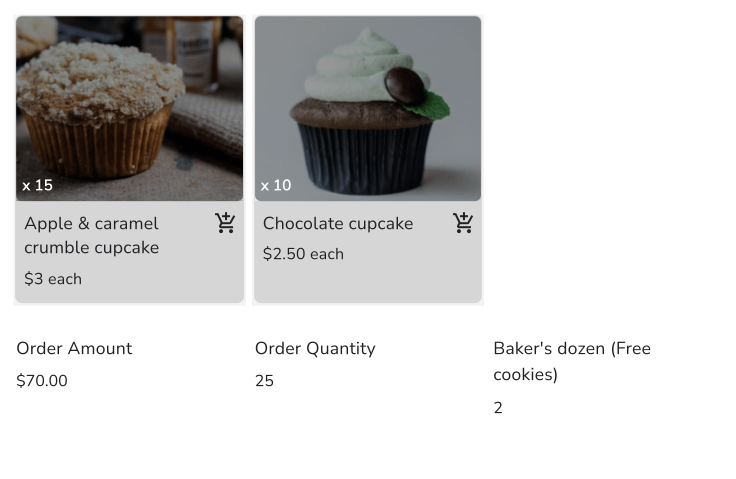
As your customers add items, the Order Quantity and the free cookies change on the form.
Summary
A Google Form doesn't add up the quantities in an order. With Neartail, the QUANTITY function counts them on the form, and you can base free items, discounts and shipping fees on that count. Import your Google Form and complete the steps above. If you have any questions, write to support.
Add an item count to your order form.
Import your Google Form and add an Order Quantity field with QUANTITY(), so the count changes as customers pick and free items or fees can follow it.