Short answer
"Regular expression to check for referral codes"- Google Docs Editors Community
Names, email addresses, websites, referral codes: a short answer box accepts whatever people type, typos included, and you find out when you can't reach them or can't match a code. Google Forms can check the answer with Response validation, but the rules sit behind the question's menu, and anything beyond the basics means writing a regular expression. In Formfacade you open the question's validation and pick a rule: Email, URL, a minimum or maximum length, a word the answer must or must not contain, or a regular expression. People see your message until the answer fits.
Import your Google Form and follow the steps below.
How to add a short answer question?
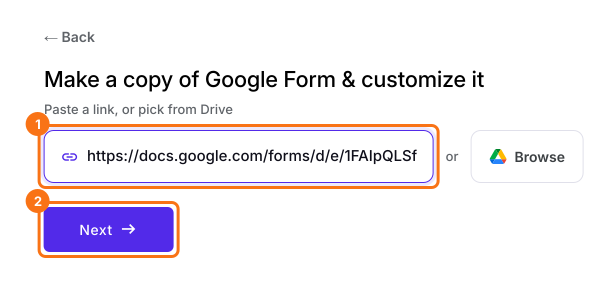
- Click on Import your Google Form. On the page that opens, paste your Google Form's link or click Browse to pick it, then click Next. Your form opens on the "Preview" tab.
- Click on the "Edit" tab

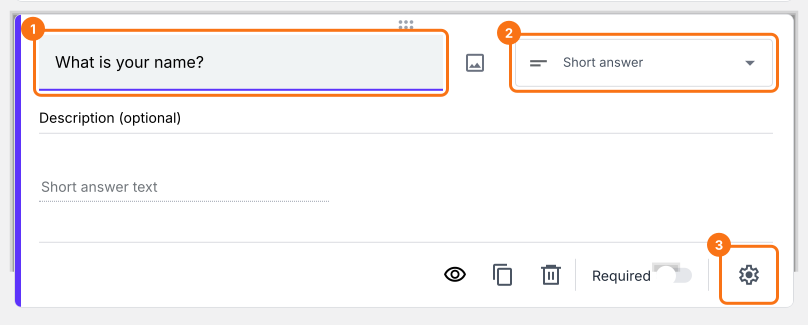
- Click on the + icon (Add field) in the toolbar on the right and enter your question
- Leave the question type as Short answer
- Enable Required toggle button to make this a mandatory question as shown below
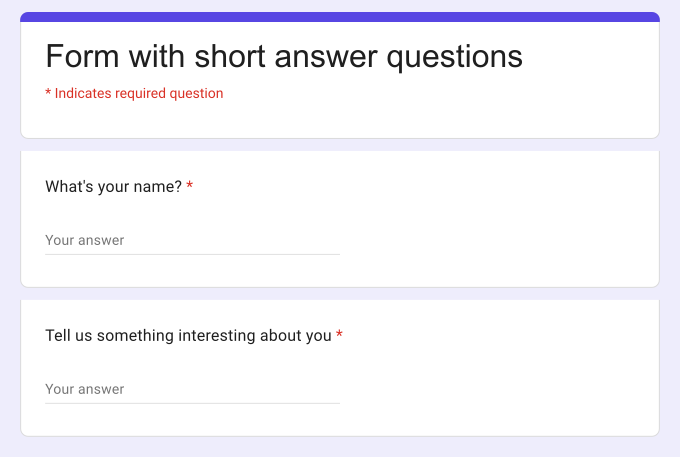
What your users see
How to add response validation to restrict answers?
- Click on the + icon (Add field) in the toolbar on the right
- Leave the question type as Short answer
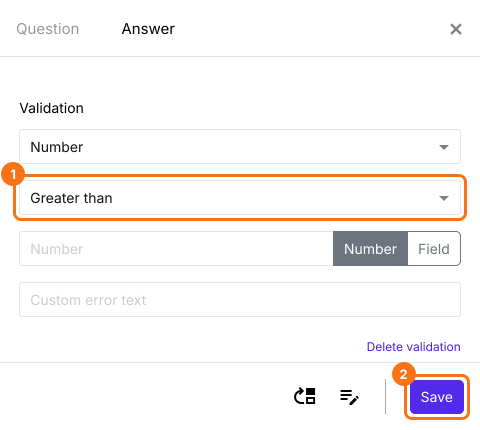
- Click on the ⚙️ icon at the bottom right of the question, select the "Answer" tab and click Configure under Validation
- Select the validation you need and fill in its boxes
- Click Save
How to specify the character limit for short answers?
- Click on the + icon (Add field) in the toolbar on the right
- Leave the question type as Short answer
- Click on the ⚙️ icon at the bottom right of the question, select the "Answer" tab and click Configure under Validation
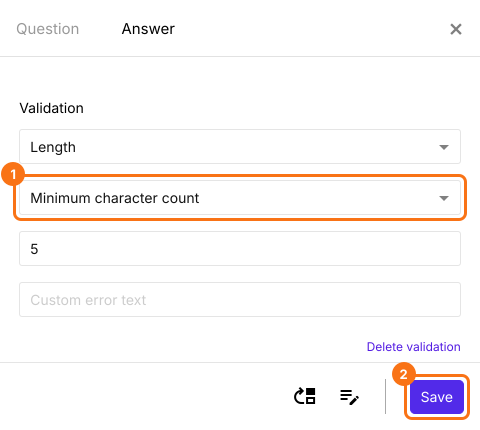
- Select Length
- Select Minimum character count
- Enter the number of characters
- Enter a custom error message (if required)
- Click Save
Maximum character count
- Click on the + icon (Add field) in the toolbar on the right
- Leave the question type as Short answer
- Click on the ⚙️ icon at the bottom right of the question, select the "Answer" tab and click Configure under Validation
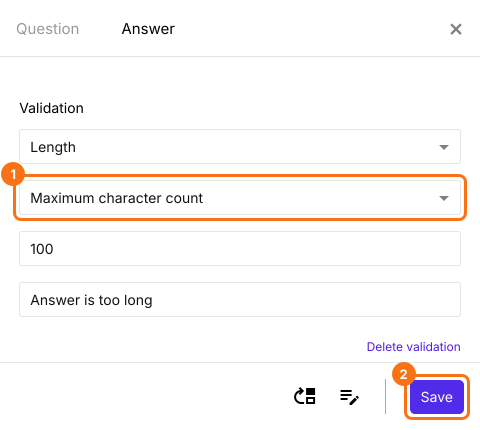
- Select Length
- Select Maximum character count
- Enter the number of characters
- Enter a custom error message (if required)
- Click Save
How to validate if the answer contains a specific word?
- Click on the + icon (Add field) in the toolbar on the right
- Leave the question type as Short answer
- Click on the ⚙️ icon at the bottom right of the question, select the "Answer" tab and click Configure under Validation
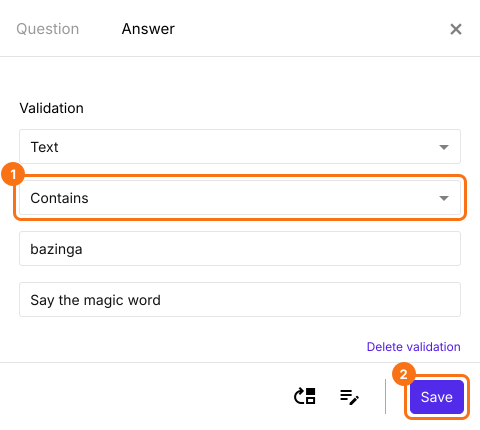
- Select Text
- Select Contains
- Enter the word or character that must be included in the short answer
- Enter a custom error message (if required)
- Click Save
How to validate if the short answer doesn't contain a specific word or special character?
- Click on the + icon (Add field) in the toolbar on the right
- Leave the question type as Short answer
- Click on the ⚙️ icon at the bottom right of the question, select the "Answer" tab and click Configure under Validation
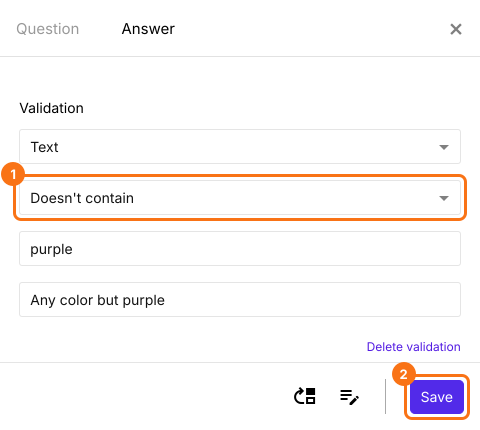
- Select Text
- Select Doesn't contain
- Enter the word or character that must not be included in the short answer
- Enter a custom error message (if required)
- Click Save
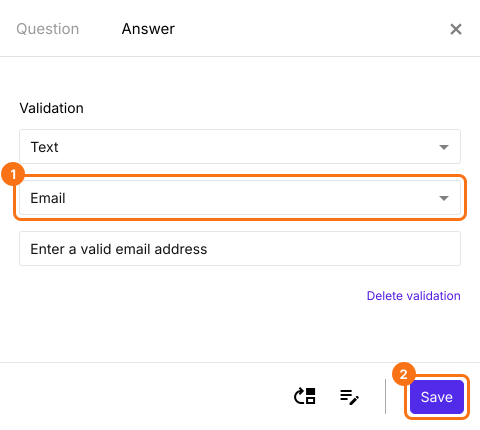
How to validate email format and accept only valid responses?
- Click on the + icon (Add field) in the toolbar on the right
- Leave the question type as Short answer
- Click on the ⚙️ icon at the bottom right of the question, select the "Answer" tab and click Configure under Validation
- Select Text
- Select Email
- Enter a custom error message (if required)
- Click Save
How to collect URL responses from users?
- Click on the + icon (Add field) in the toolbar on the right
- Leave the question type as Short answer
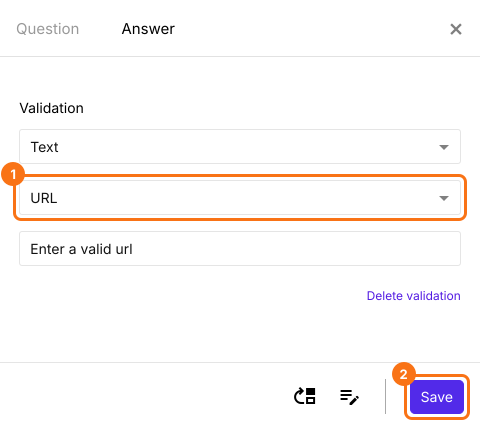
- Click on the ⚙️ icon at the bottom right of the question, select the "Answer" tab and click Configure under Validation
- Select Text
- Select URL
- Enter a custom error message (if required)
- Click Save
Summary
Check the short answers in your Google Form.
Import your Google Form, add a short answer and pick a rule under Validation, such as Email, URL or Length, so you get answers in the format you need.