Checkboxes
"Setting limit to 5 answers on Multiple choice question"- Google Docs Editors Community
When you ask which options apply, a checkboxes question lets people tick more than one, but nothing stops them from ticking every box. Google Forms can limit the number, though the rule sits under Response validation in the question's menu, and many form owners never find it. In Formfacade you add the checkboxes question and set Select at least, Select at most or Select exactly in its validation, so people can tick only the number you allow. You can also add an Other option for answers you didn't list.
Here is how to add one. Import your Google Form and follow the steps below.
How to create a checkboxes question?
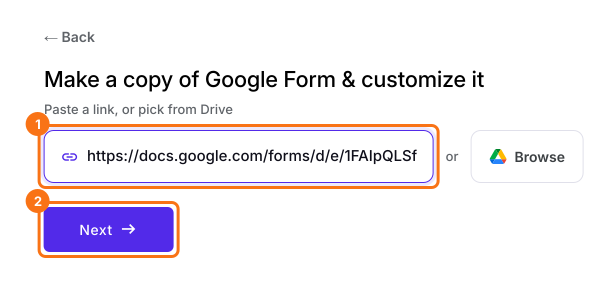
- Click on Import your Google Form. On the page that opens, paste your Google Form's link or click Browse to pick it, then click Next. Your form opens on the "Preview" tab.
- Click on the "Edit" tab

- Click on the + icon (Add field) in the toolbar on the right and enter your question
- Select Checkboxes in the question type list
- Type the first answer choice in the first box, then click Add Option and type the next one. Do this for each answer choice.
- Enable Required toggle button to make this a mandatory question as shown below
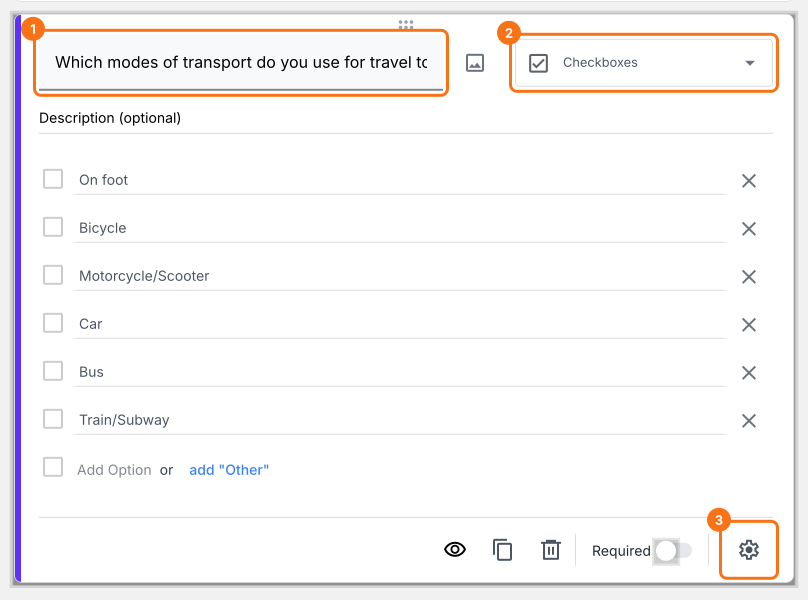
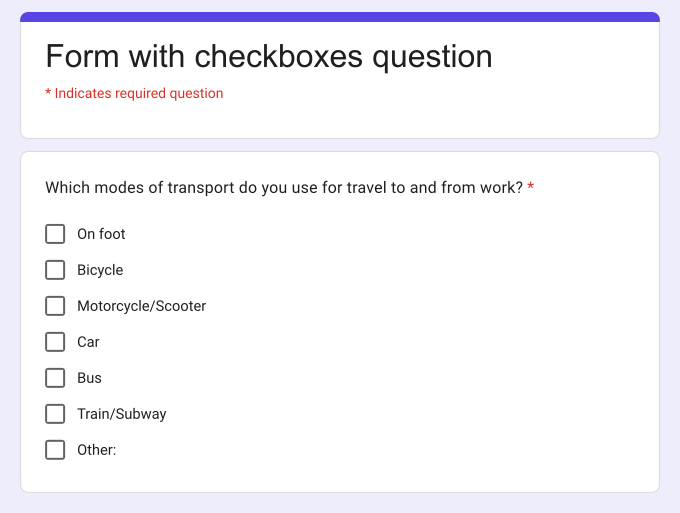
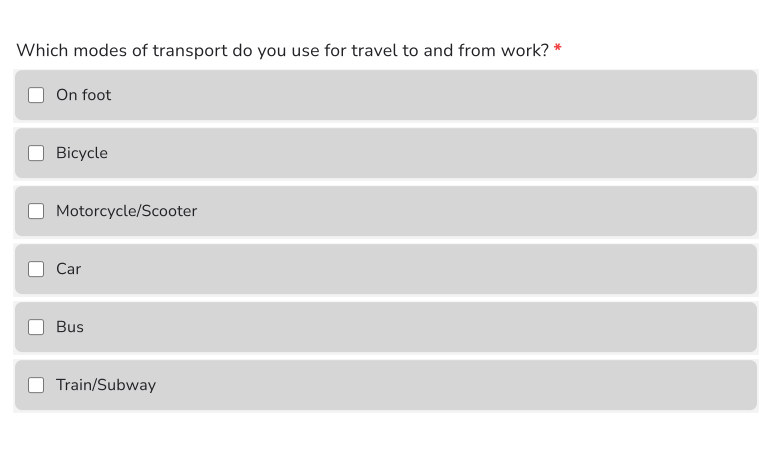
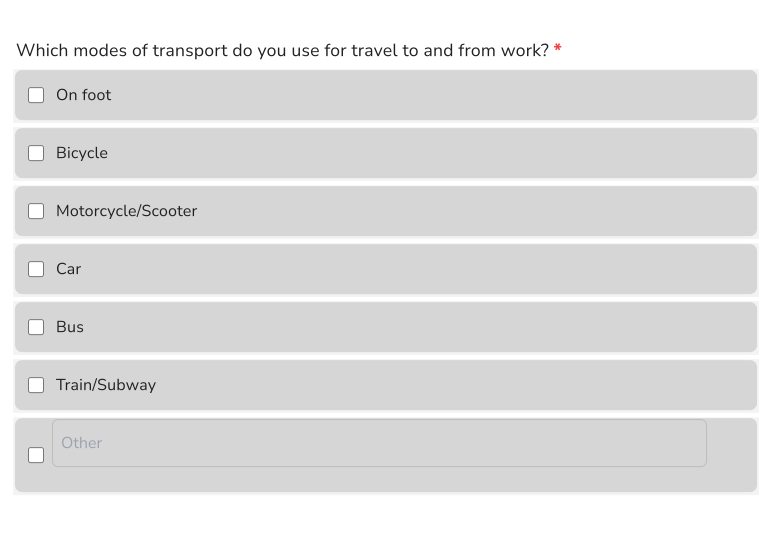
Checkboxes question with predefined answer choices
How can I include "Other" as an option?
- Click on the + icon (Add field) in the toolbar on the right
- Select Checkboxes in the question type list
- Type the first answer choice in the first box, then click Add Option and type the next one. Do this for each answer choice.
- Click on the add "Other" link as shown below
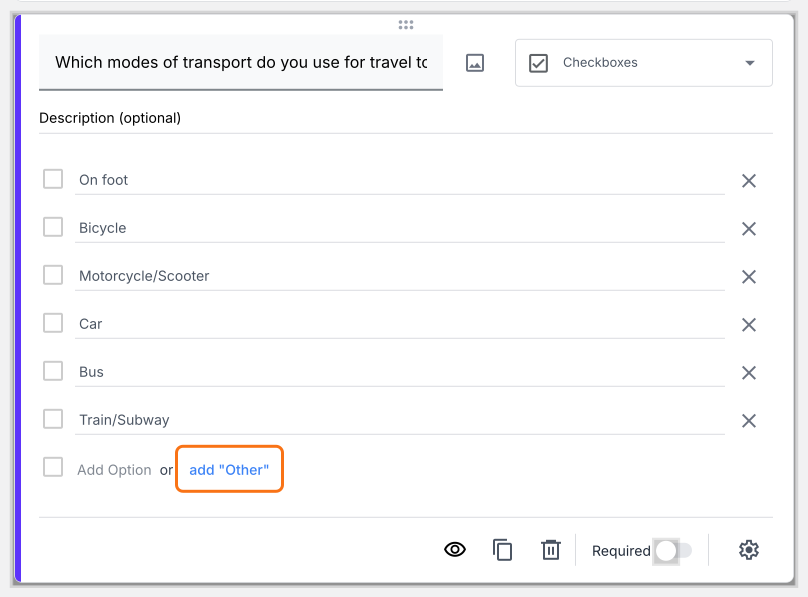
Checkboxes question with "Other" option
How to limit the number of answer choices that users can select in a checkbox question?
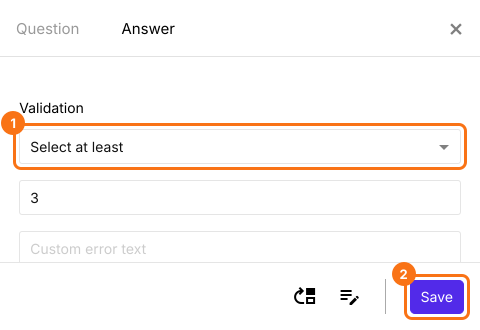
Select at least
- Click on the + icon (Add field) in the toolbar on the right
- Select Checkboxes in the question type list
- Type the first answer choice in the first box, then click Add Option and type the next one. Do this for each answer choice.
- Click on the ⚙️ icon at the bottom right of the question, select the "Answer" tab and click Configure under Validation
- Select Select at least and enter the minimum number of answers that must be checked
- Click Save
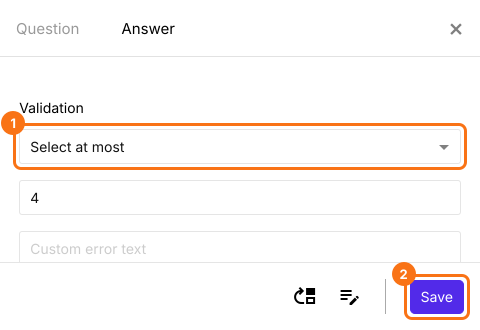
Select at most
- Click on the + icon (Add field) in the toolbar on the right
- Select Checkboxes in the question type list
- Type the first answer choice in the first box, then click Add Option and type the next one. Do this for each answer choice.
- Click on the ⚙️ icon at the bottom right of the question, select the "Answer" tab and click Configure under Validation
- Select Select at most and enter the maximum number of answers that can be checked
- Click Save
Select exactly
- Click on the + icon (Add field) in the toolbar on the right
- Select Checkboxes in the question type list
- Type the first answer choice in the first box, then click Add Option and type the next one. Do this for each answer choice.
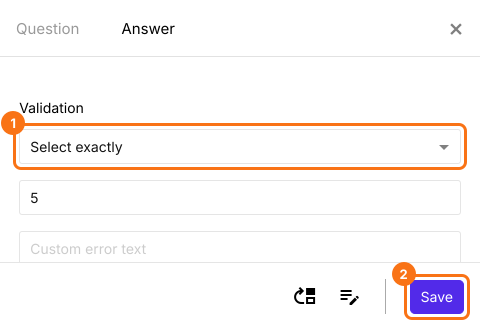
- Click on the ⚙️ icon at the bottom right of the question, select the "Answer" tab and click Configure under Validation
- Select Select exactly and enter the exact number of answers that must be checked
- Click Save
Summary
Add checkboxes to your Google Form. Limit how many they tick.
Import your Google Form, add a Checkboxes question and choose Select at most or another rule under Validation, so people tick only the number you allow.