How to calculate the day of the week?

Some forms depend on the day: a menu that changes each day, a shift rota or a class timetable. In Google Forms people have to pick the day themselves, and some pick the wrong one. With Formfacade, you use the getDay() function in the Calculate option to find the day of the week. It returns a number from 0 to 6, Sunday to Saturday, and you can hide the question so the day comes with every response without your users seeing it.

Import your Google Form and follow the steps below. The example is an order form whose menu changes with the day of the week.

How to find the day of the week?

  • On the page that opens, paste your Google Form's link or click Browse to pick it, then click Next. Your form opens on the "Preview" tab.
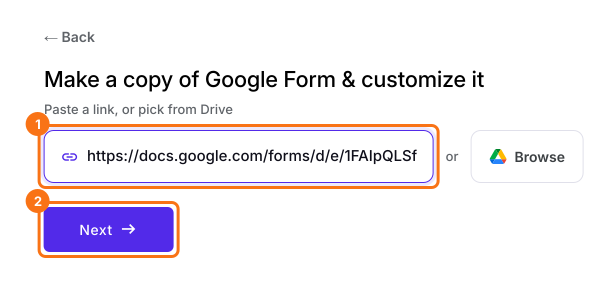
The Make a copy of Google Form & customize it screen, with the link box and the Next button marked and a Google Form's link pasted in
  • Click on the "Edit" tab.
The tabs Edit, Preview, Share and Responses, with Edit marked
  • Click on the + icon (Add field) in the toolbar on the right.
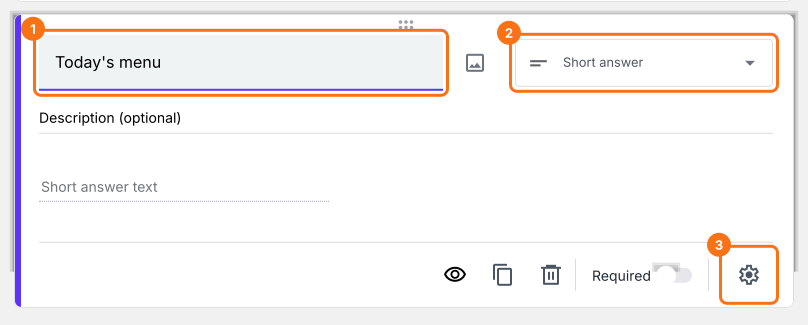
  • Enter "Today's menu" as the question. It is already a Short answer.

The toolbar on the right of the Edit tab, with the + icon marked
Click on the ⚙️ icon at the bottom right of the question.
A Today's menu question in the Edit tab, a short answer, with the question, the question type and the gear icon marked
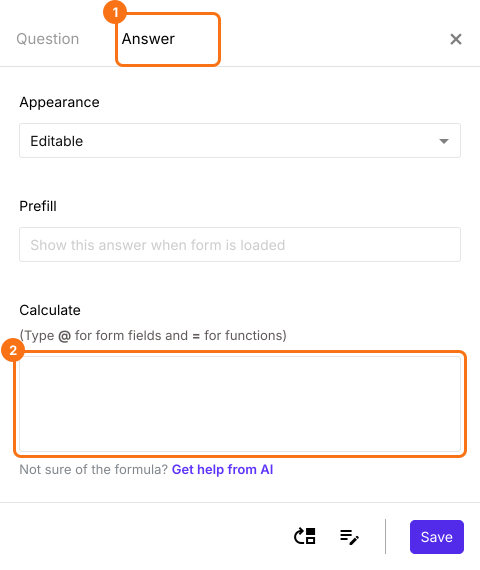
Select the "Answer" tab.
The field settings panel with the Answer tab and the Calculate box marked

Use getDay() function to calculate the day of the week
getDay() function returns the day of the week for a specified date. This function returns a number from 0 to 6 representing each day of the week from Sunday to Saturday respectively. To determine the day of the week for the current date, we can use the below formula.
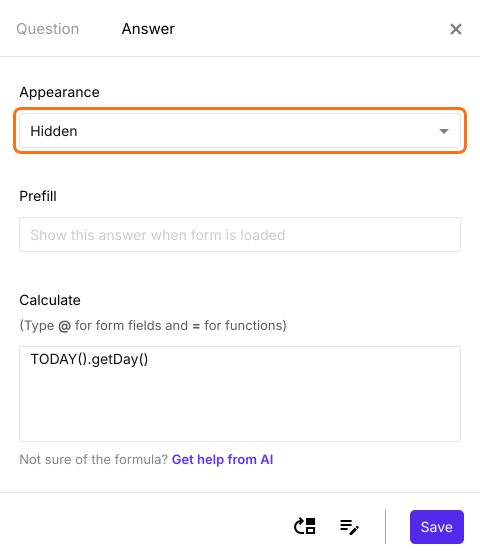
TODAY().getDay()
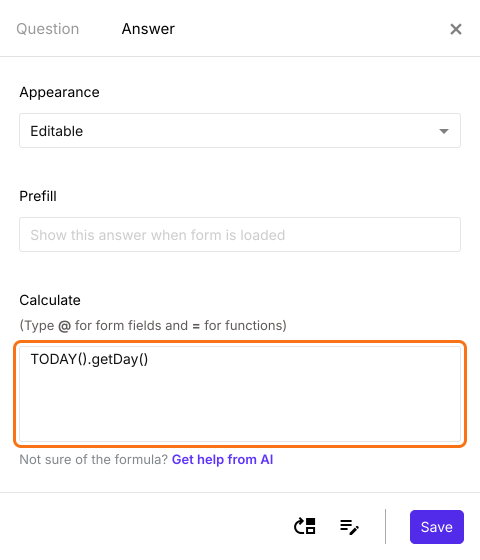
Write the TODAY().getDay() formula in the Calculate option as shown below.
The Answer tab with TODAY().getDay() in the Calculate box
Since we are automatically calculating the day of the week, we can hide this question by changing the appearance to hidden as shown below. Click Save.
The Answer tab with Appearance set to Hidden and marked and TODAY().getDay() in the Calculate box
Every response now has the day of the week: 0 = Sunday, 1 = Monday and so on. On a Monday, the answer is 1.

Summary

If your form depends on the day of the week, Google Forms cannot work out the day by itself. With Formfacade, you can use the getDay() function in the Calculate option of a short answer question and hide the question, so the day of the week comes with every response. Import your Google Form and complete the steps above. If you have any questions, write to support.

Add the day of the week to your Google Form's responses.

Import your Google Form, write TODAY().getDay() in a short answer's Calculate option and set it to Hidden, so every response has the day of the week.

Last updated: