How to customize the theme in Google Forms?
"Is there any way to copy styles of a form"- Google Docs Editors Community
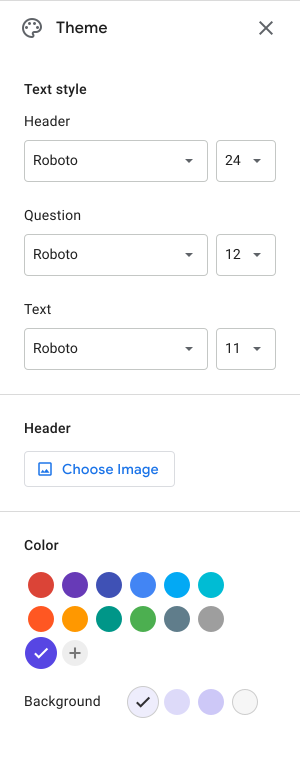
You've styled one Google Form the way you want, and the next one starts in purple again. Google's theme option changes the color, header image, background and font, but the questions always sit on white cards in the same layout, and each new form has to be styled again. With Formfacade, you pick a theme and change its colors, fonts and layout, then apply it to all your forms at once, so every form looks like your business and not like Google's.
Below is what Google's theme option can change, then the steps to style your forms with Formfacade. Import your Google Form to start.
- Embed Google Forms in your webpage and make it look like your website theme
- Change the form layout - Compact, Comfortable, Default
- Customize the form background colors, font colors and form elements
- Specify a font for heading and form elements
How to customize the theme using Formfacade?
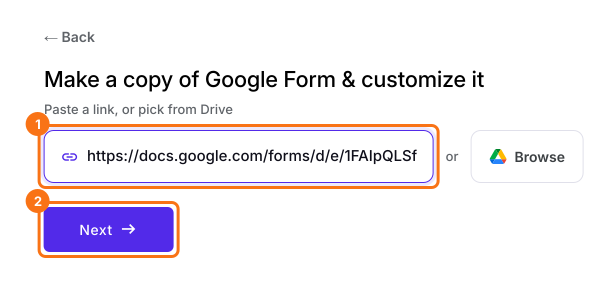
- On the page that opens, paste your Google Form's link or click Browse to pick it, then click Next. Your form opens on the "Preview" tab.
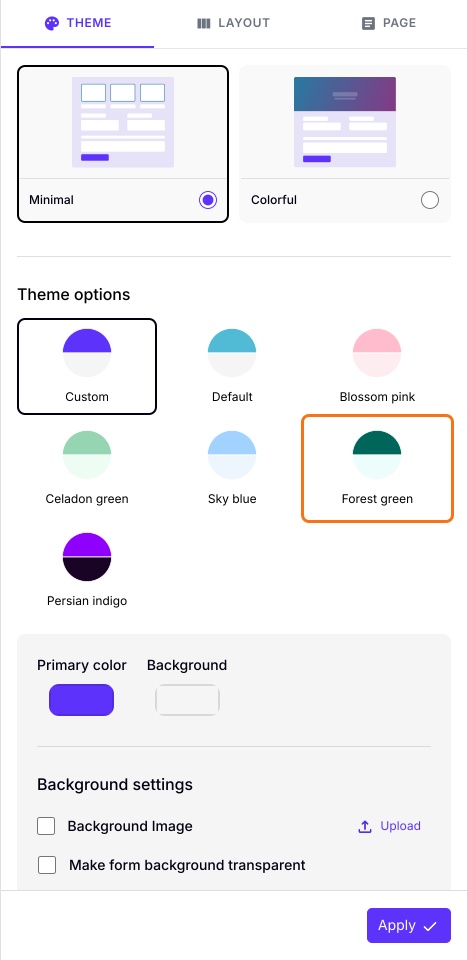
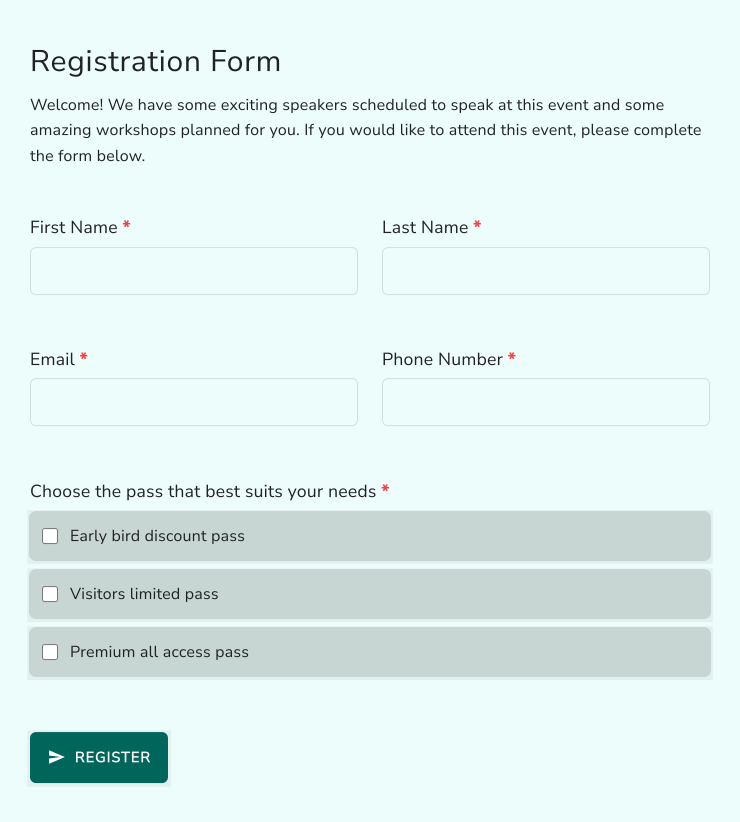
- On the THEME tab, under Theme options, click on a theme. For example: Forest green.
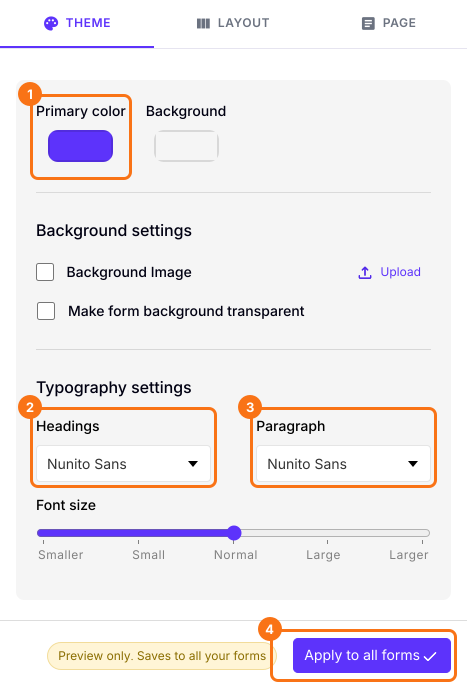
- You can also change the Primary color, Background and Typography settings.
- Click on the "Apply to all forms" button, which changes the theme on every live form on your account, not only this one.
Summary
Pick a theme for your Google Form. Apply it to all your forms.
Import your Google Form, pick a theme in the THEME tab and change its colors and fonts, then click Apply to all forms to put it on every form.