How can I change the font size or bold text in a confirmation message in Google Forms?
"Can I change the font/font size in a confirmation message in Forms?"- Google Docs Editors Community
The confirmation message is where you tell people what to do next, like a payment deadline or a document to bring. In Google Forms that message is plain text: you can't make a line bold or larger, so the important part looks like the rest. 18 people on Google's forum have asked how to change its font size. With Formfacade, you format the message with bold text, a font size from Normal to X-Large, images and links, and people see it the moment they submit.
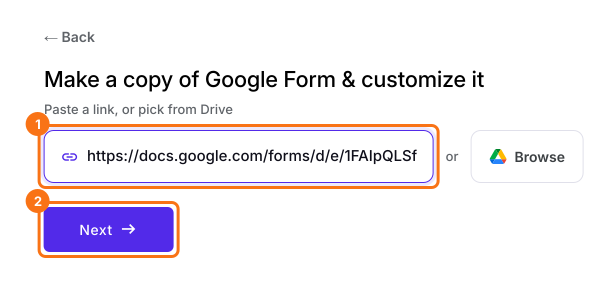
Import your Google Form and follow the steps below.
How to format the confirmation message text?
- On the page that opens, paste your Google Form's link or click Browse to pick it, then click Next.
- You will land on the form's "Preview" tab.
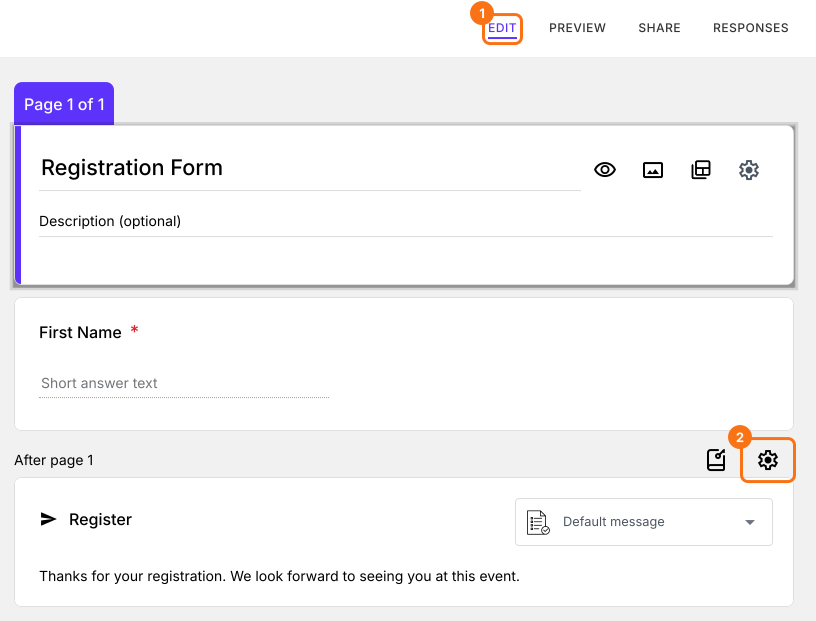
- Click on "Edit" tab

- Scroll down to the end of the form and click on the gear icon on the last "After page" row. It says "After page 1" on a form with one page.
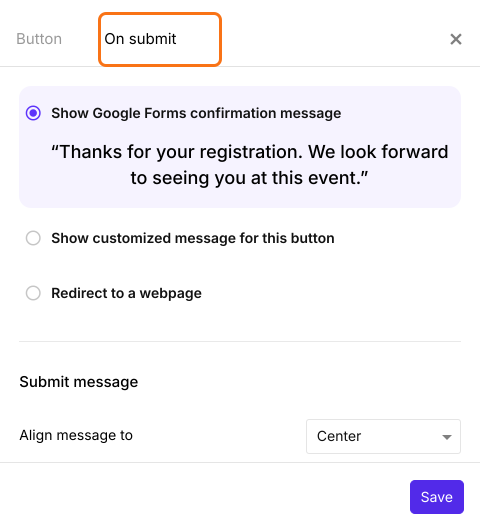
- Select the "On submit" tab. The default option is to show the confirmation message configured in Google Forms.
- Select "Show customized message for this button"
- Enter your message and format the text using the toolbar
- Under Submit message, select the Font size: Normal, Medium, Large or X-Large
- You can also select where to Align message to: Left, Center or Right
- Click on the Save button
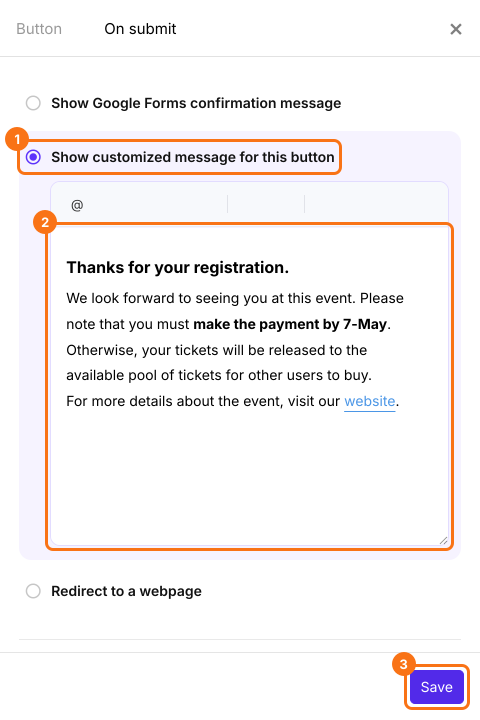
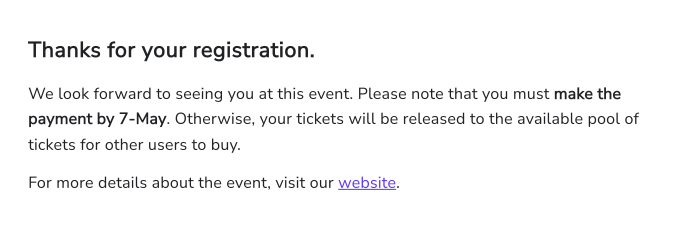
Formatted confirmation message as seen by the respondents.
Summary
Google Forms shows its confirmation message as plain text, so you can't make the important line stand out. With Formfacade, you show a customized message on submit and format it with bold text, font sizes, images and links. Import your Google Form and complete the steps above.
Make your Google Form's confirmation message bold and larger.
Import your Google Form, choose Show customized message for this button and use bold text and a font size up to X-Large, so the important line stands out.