How to accept Venmo payments in Google Forms?
"process payments via Venmo. Customers fill out a google form and I respond"- Google Sites Community
If your club or team takes the sign-up on a Google Form and the dues on Venmo, the two never meet. Google Forms can show your Venmo username as text, but it can't show what each member owes or ask them to pay. So you scroll through Venmo and tick off names against the responses. With Neartail, the payment happens in the form. Members see the total when they submit and scan a QR code with their phone to pay you on Venmo. They use the Venmo app they already have, so nobody types a card number.
Below are three ways to collect Venmo payments with a Google Form, and where each one falls short.
1. Put your Venmo username in the form
2. Link to Venmo after they submit
3. Take Venmo payments in the form with Neartail
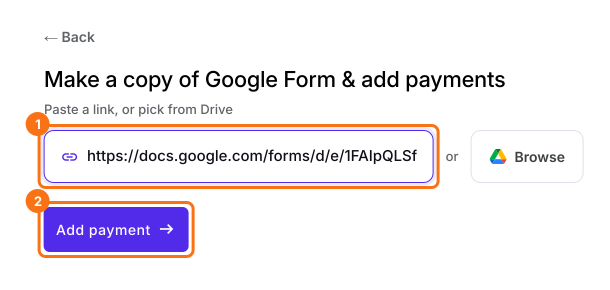
- Click Import your Google Form. On the page that opens, paste your Google Form's link or click Browse to pick it, then click Add payment.
- Select your currency and click Continue.
- When it says "Your order form is ready", Neartail has made a product from each question with a price and added an order total and summary. If it says no products were found, add a price to any question.
- Click Preview your form. Then, under Manage, click Edit form to open the form builder.
- At the end of the editor, click Enable under Payments disabled, then click Enable next to Do you want to collect payment.
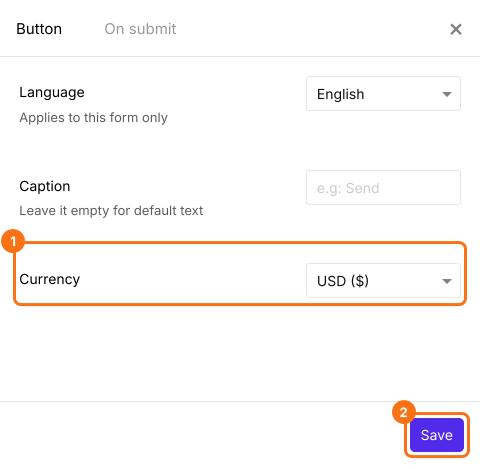
- Venmo is listed only for forms in USD. If your form is in another currency, close the Payments panel, click the gear icon in the After payment row, the last row above the Submit button, select USD in Currency and click Save. Then click Edit in the Payments row.
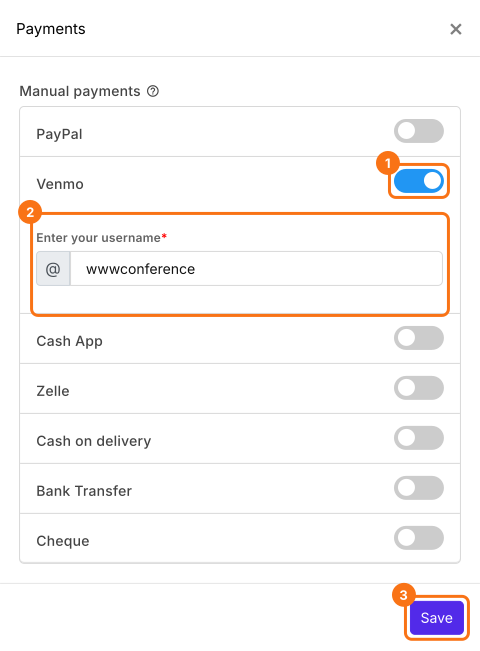
- Under Manual payments, turn on Venmo, enter your username and click Save.
Check the amount
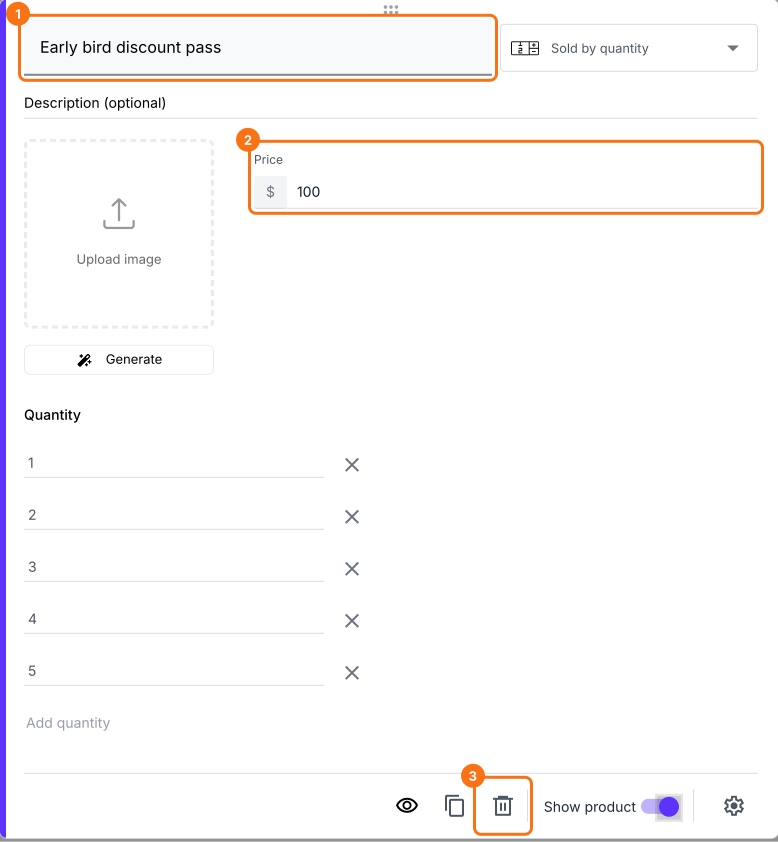
- Click a product card to change its title or price. To remove a product you don't sell, click the delete icon at the bottom of its card.
- Click Preview and submit the form to try it.

Summary
Add Venmo to your Google Form. Get paid when people submit.
Import your Google Form, turn on Venmo and enter your username, so people see the total when they submit and scan a QR code to pay you on Venmo.