How to add a fixed shipping fee regardless of the order amount or delivery zones?
"How can I add shipping cost and pounds"- Google Docs Editors Community
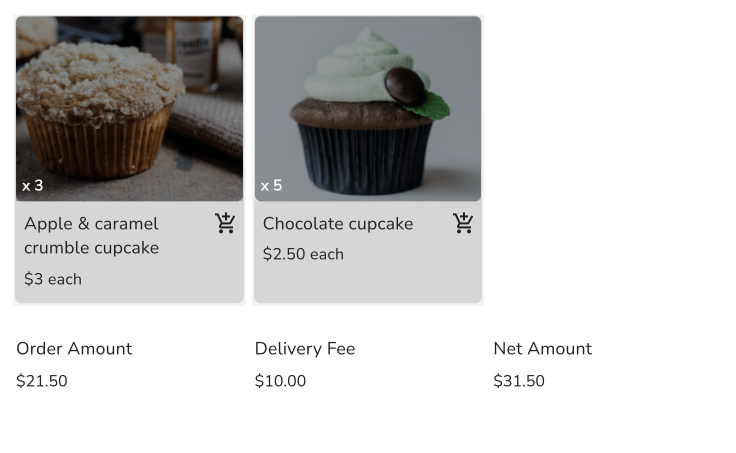
If you charge one delivery fee on every order, a Google Form gives you nowhere to put it: it has no total to add the fee to. So you add it yourself once the order arrives and send the customer the final amount separately, and some don't see what they owe until you message them. With Neartail, you add a Delivery Fee with a fixed amount to your Google Form. The customer sees the order amount, the fee and the amount to pay on the form before they order, and the order reaches you with the fee already added.
Let's start. Import your Google Form and follow the steps below.
How to setup a fixed shipping fee?
- On the page that opens, paste your Google Form's link or click Browse to pick it, then click Import.
- Select your currency and click Continue.
- When it says "Your order form is ready", Neartail has made a product from each question with a price and added an order total and summary. If it says no products were found, add a price to any question.
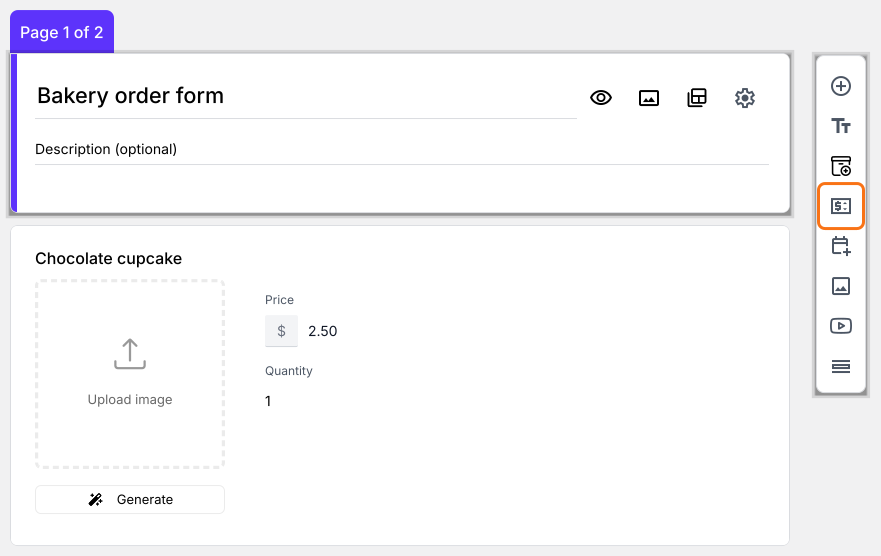
- Click Preview your form. Then, under Manage, click Edit form to open the form builder.
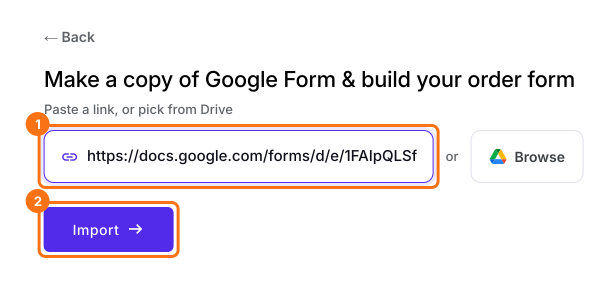
- Click on the Order Amount question, then click Add price field in the toolbar on the right
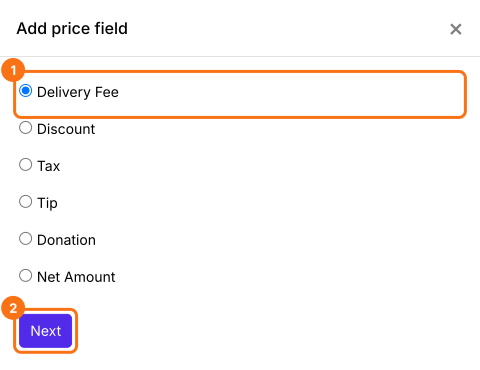
- Select Delivery Fee and click Next
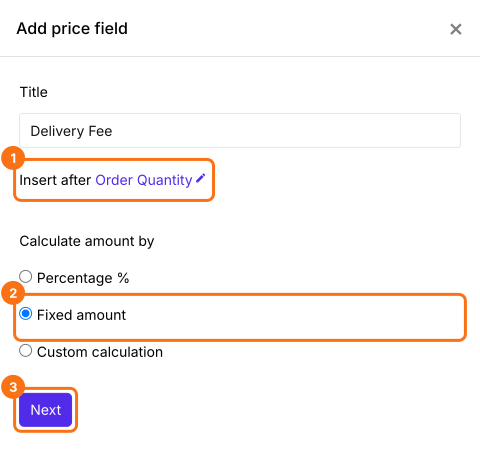
- Select Fixed amount and click Next
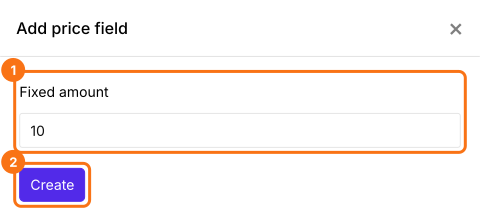
- Enter the fee and click Create. To set a fixed shipping fee of $10, you can enter 10
- Click Save
How to calculate the total amount including the fixed shipping fee?
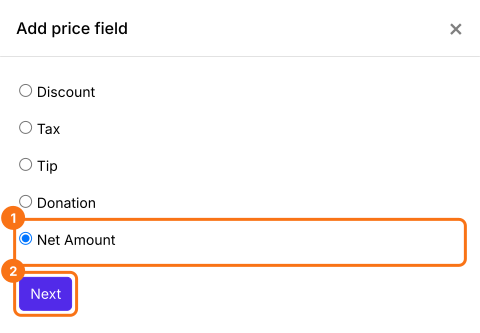
- Click on the Delivery Fee question, then click Add price field. Select Net Amount and click Next
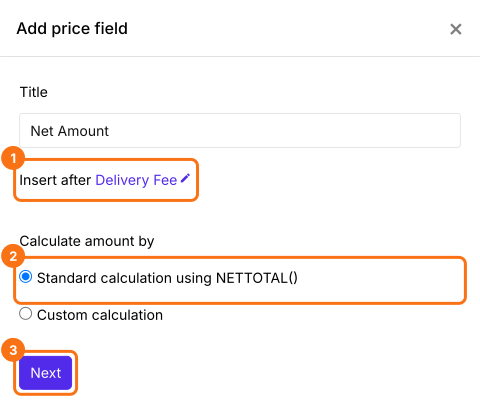
- Select Standard calculation using NETTOTAL() and click Next
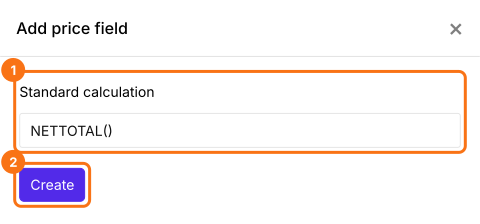
- Click Create
- Click Save
Summary
Add a fixed shipping fee to your order form.
Import the Google Form you take orders on and add a Delivery Fee with a fixed amount, so customers see the fee and the amount to pay before they order.