How to restrict the files that users can upload in the form?
"I need people to upload .js files through my form."- Google Docs Editors Community
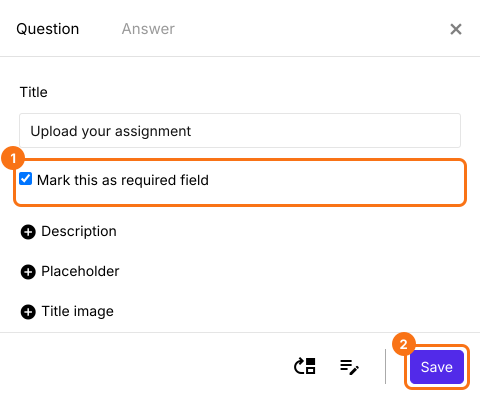
Sometimes only one kind of file will do: .js files for a coding class, PDFs for an application, images for a gallery. Google Forms' upload question offers its own list of file types, .js isn't on it, and .js files can't be uploaded at all. With Formfacade, you type the extensions you accept, separated by commas, in the upload question's settings. The file picker then lets people choose only those types, within your size limit, and they upload with no Google sign-in. In the same settings you can make the upload required and set how many files each person adds.
Let's start. Import your Google Form and follow the steps below.
How to restrict the file types?
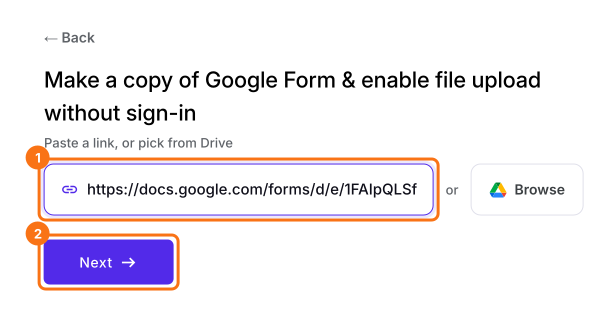
- On the page that opens, paste your Google Form's link or click Browse to pick it, then click Next. Your form opens on the Edit tab.
- If it asks "Do you want to preview this form?", click No. If your form has no file upload question, add one first.
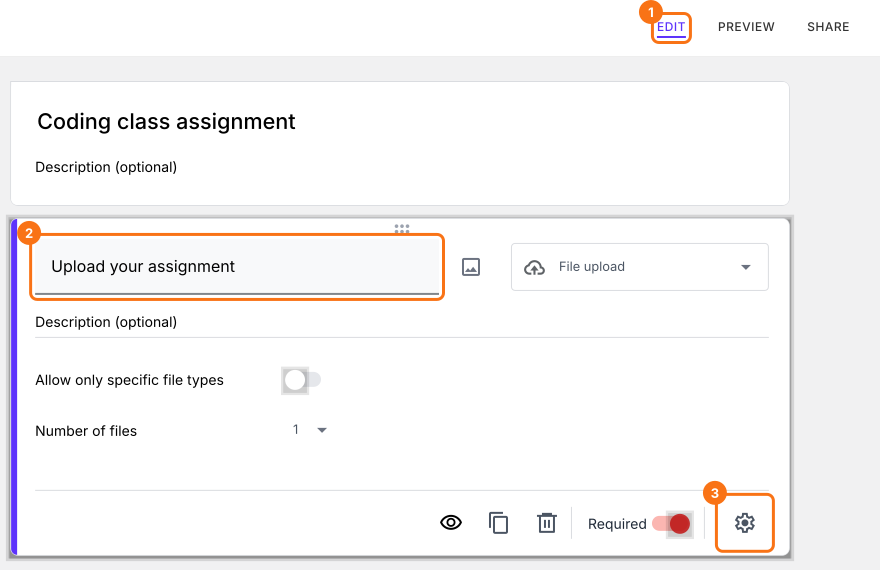
- In the Edit page, click on the file upload question, then click on the gear icon.
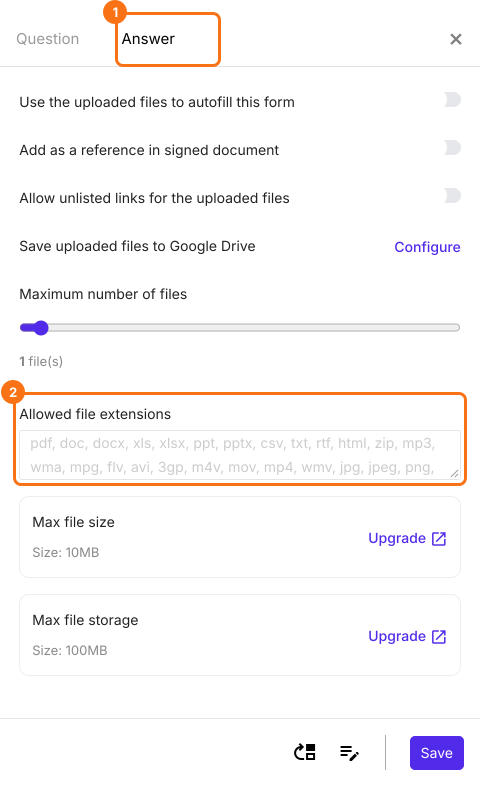
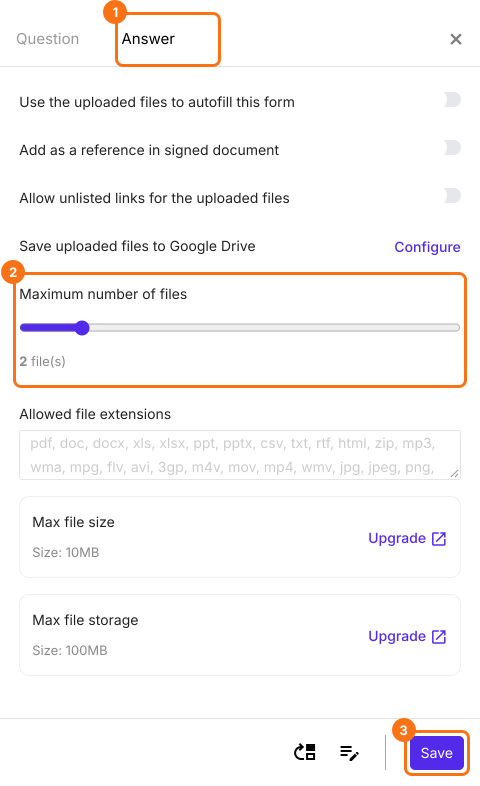
- Select the answer tab. By default, file upload accepts the following file types: pdf, doc, docx, xls, xlsx, ppt, pptx, csv, txt, rtf, html, zip, mp3, wma, mpg, flv, avi, 3gp, m4v, mov, mp4, wmv, jpg, jpeg, png, gif
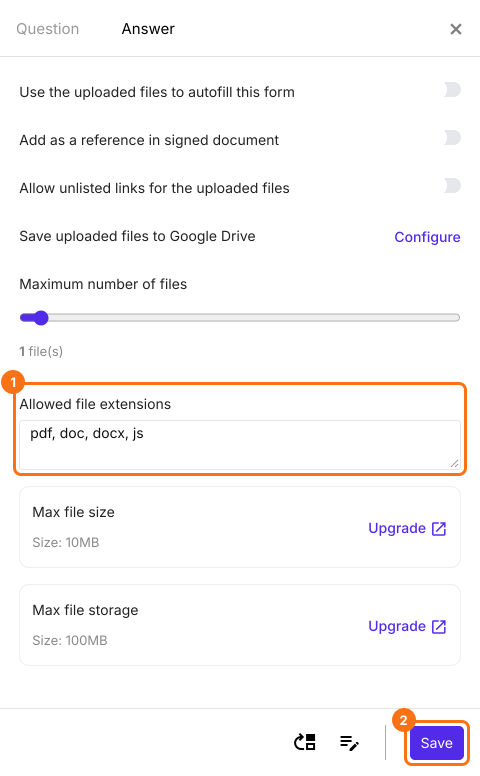
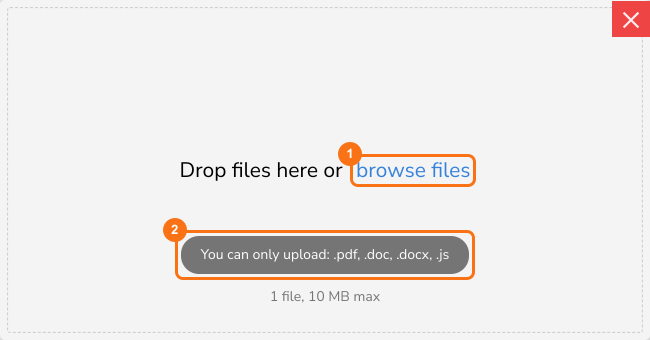
- To restrict the file types that users can upload, add the extensions of the acceptable file types separated by commas as shown below and click on the Save button. For example, you can add the extensions pdf, doc, docx to accept only these three file types. For a coding class, add js as well.
How to make the file upload required and set the number of files?
Summary
Accept only the file types you need in your Google Form.
Import your Google Form and type the extensions you accept, separated by commas, in the upload question's Answer tab. People can only pick those files.