How to add sections in Google Forms?
A long Google Form on a single page loses people before the end. Google Forms lets you split it into sections, each with a title and description, and people move through them with Next. With Formfacade, you add pages the same way: click where a page should start and the questions after it move to the new page. People see one page at a time with Next and Back, under your branding instead of Google's, and you can also put a title and description over a group of questions within a page.
Import your Google Form, or open one you have in Formfacade, and follow the steps below.
Create a multi-page form
- On the page that opens, paste your Google Form's link or click Browse to pick it, then click Next. Your form opens on the Share tab. If you already have a form in Formfacade, open it instead.
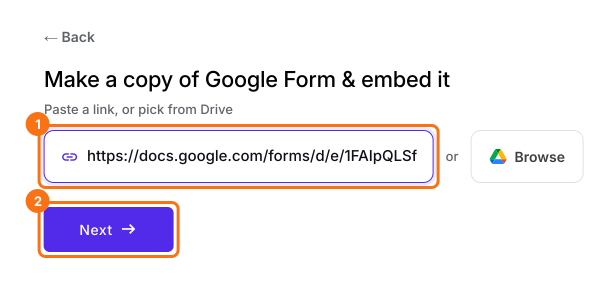
- Click on "Edit" tab

- Click on the question after which the new page must begin
- Click on Add page icon in the toolbar on the right
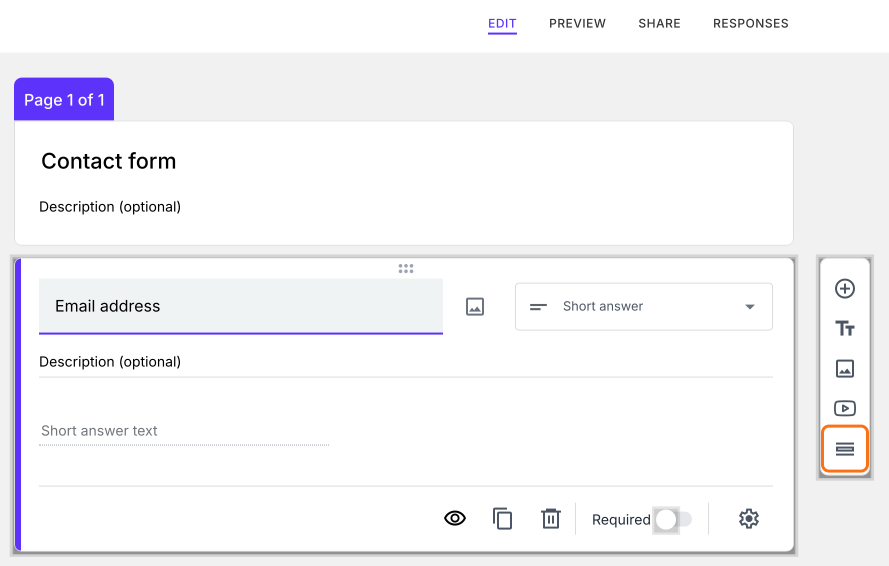
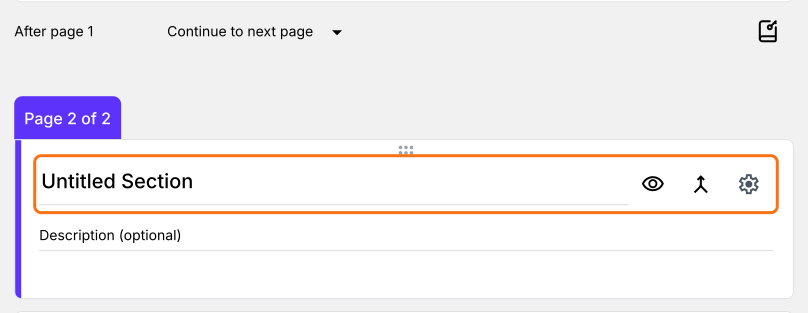
- The new page starts with the questions below the one you clicked
- Replace "Untitled Section" with the page title
- Add questions or contents in that page
Group questions within a page
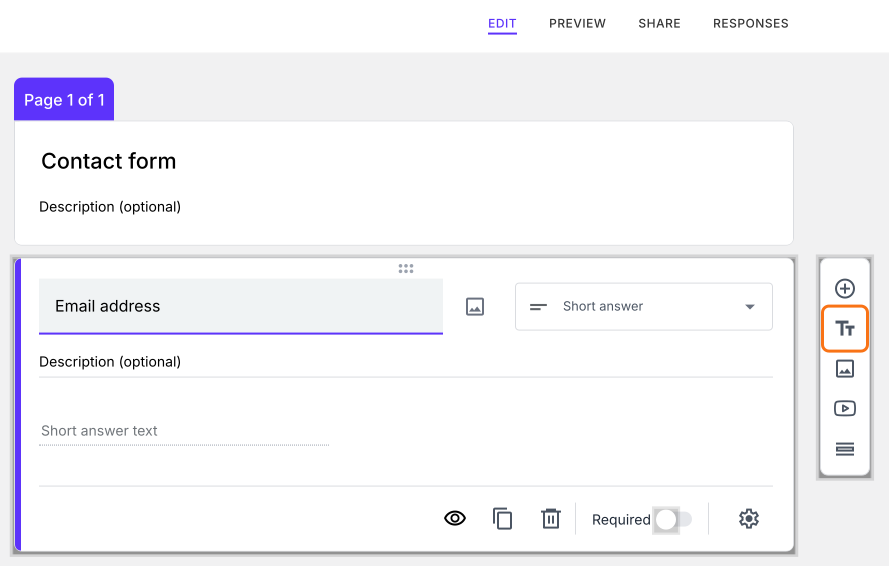
- Click on the question after which the new title and description must be added
- Click on Add title & description icon in the toolbar on the right
- A card will be added right after the question. Add the title and description
Summary
Split your long Google Form into pages.
Import your Google Form to embed it, click the question where a new page should start and click Add page. People see one page at a time, with Next and Back.