How to assign points for a checkboxes question?
"a point for each correct answer you pick and -1 point for each wrong answer"- Google Docs Editors Community
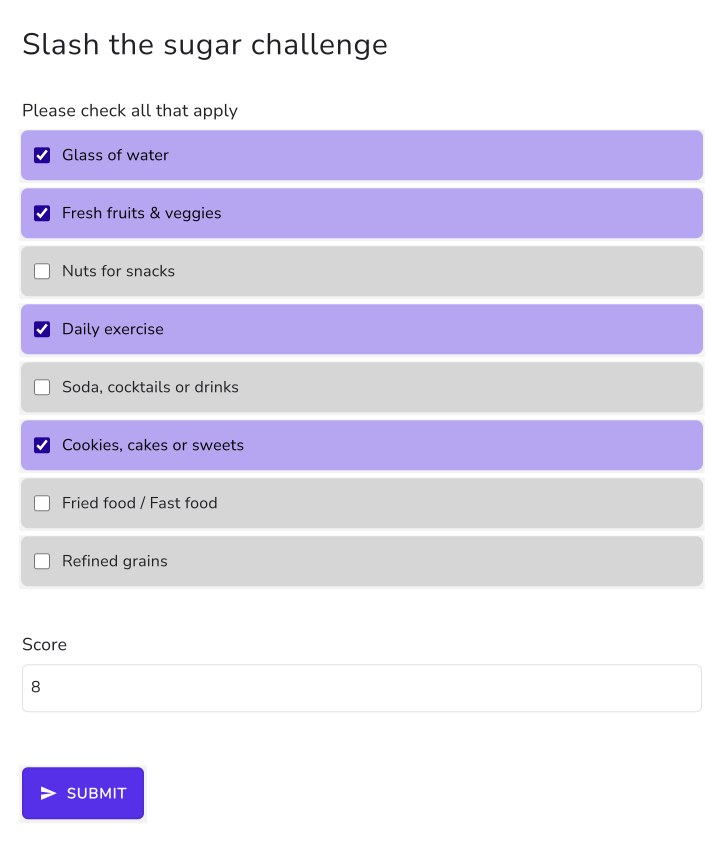
Some checkboxes questions need a value on every box: +10 for daily exercise and -5 for sweets in a habit challenge, or -1 for each wrong answer on a test. A Google Forms quiz can't do either. It gives the question's points only when the exact set of right boxes is ticked, so partial credit and penalties are out. With Formfacade, the SCORE function lists a value for each choice in your checkboxes question and adds up the values of the boxes someone ticks. You write it once in the Calculate option of the Score question, and people see their score change as they tick.
Let's start. Import your Google Form and follow the steps below.
How to assign points using the SCORE function?
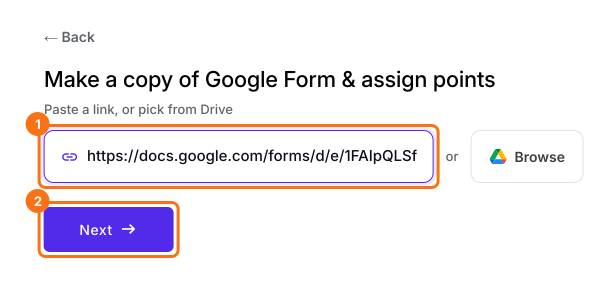
- On the page that opens, paste your Google Form's link or click Browse to pick it, then click Next.
- A description is already written under "Describe how you want to score this form". Change it to say how you want to score your form, for example: "Give each choice in the checkboxes question its own points: Glass of water = 1, Fresh fruits & veggies = 2, Nuts for snacks = 2, Daily exercise = 10, Soda, cocktails or drinks = -3, Cookies, cakes or sweets = -5, Fried food / Fast food = -6, Refined grains = -1. Add up the points for the boxes someone ticks." Click Next.
- "How do you want to score?" shows what it did. Click View points to check the points for each answer, then click Next.
- On "You're all set!", click Preview form. Your form opens with its score in a new tab.
- Back on this page, click Share form under Manage: your form opens on the Share tab. Click the Edit tab.
- Your form already has a Score question, which may be named Total Score. Click on the score question, then click the ⚙️ icon.
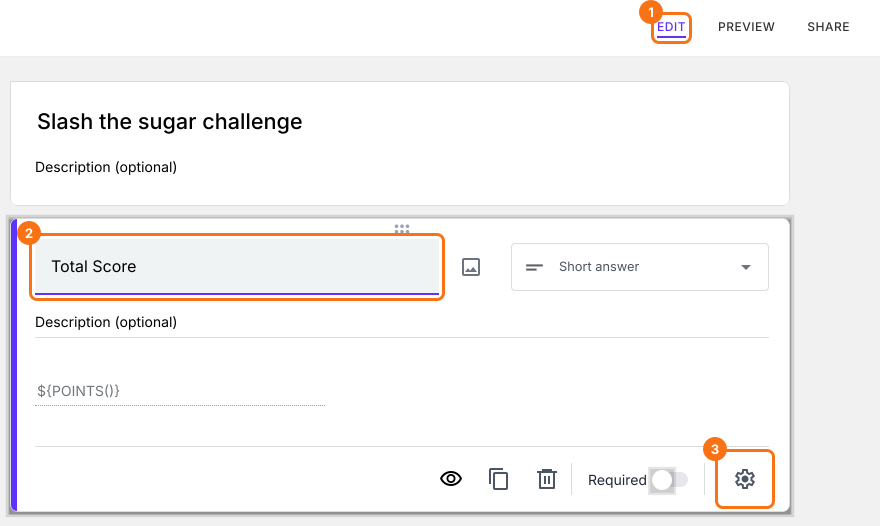
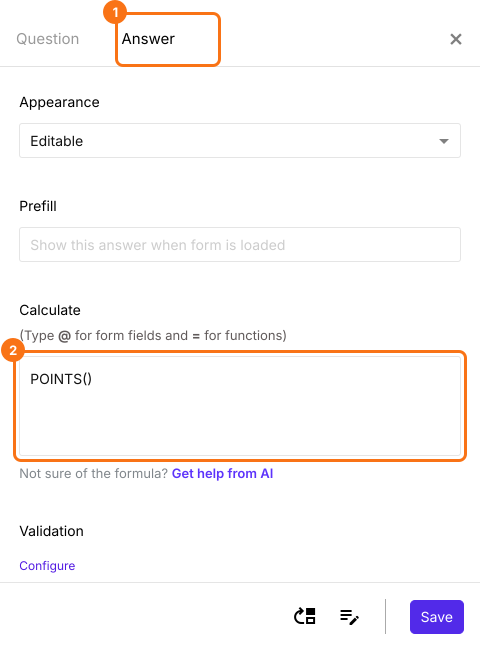
- Select the "Answer" tab and write the formula to assign points and calculate the score.
SCORE function
- Glass of water = 1
- Fresh fruits & veggies = 2
- Nuts for snacks = 2
- Daily exercise = 10
- Soda, cocktails or drinks = -3
- Cookies, cakes or sweets = -5
- Fried food / Fast food = -6
- Refined grains = -1
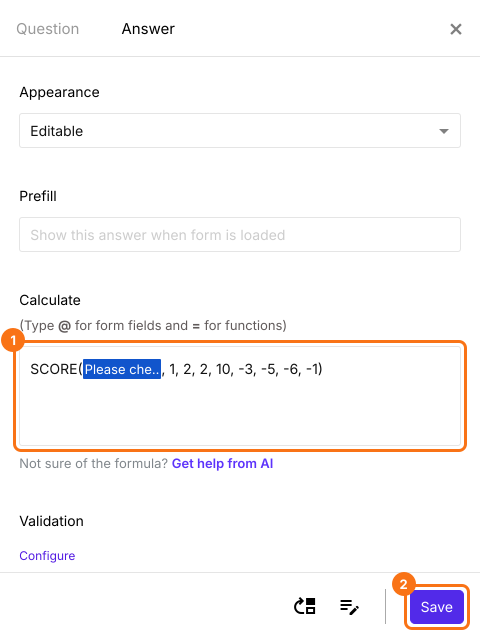
- SCORE(entry#id, 1, 2, 2, 10, -3, -5, -6, -1)
- The Calculate option already has POINTS(). Delete it and write the SCORE function in the Calculate option as shown below and click Save.
Summary
Write a SCORE formula for your checkboxes question.
Import your Google Form and write SCORE in the Score question with a value for each box, negative for wrong ones. The ticked boxes add up as people tick.