How to calculate multiple scores by adding different questions in Google Forms?
"I have 40 questions, 4 categories of 10 questions."- Google Docs Editors Community
This is a common question: 77 people on Google's forum have asked how to score one questionnaire in several categories. A Google Forms quiz gives one total for the whole form, so the category scores end up in a Google Sheet, with a FILTER or SUM for each category, worked out after the response is in. The person who answered sees none of it. With Formfacade, you add a Short answer question for each category and add up that category's questions with the POINTS formula. Each person sees a score for every category on the form, and each score gets its own column when you sync the responses to Google Sheets, so you can compare people one category at a time.
Let's start. Import your Google Form and follow the steps below.
How to assign points and calculate multiple scores?
- On the page that opens, paste your Google Form's link or click Browse to pick it, then click Next.

- A description is already written under "Describe how you want to score this form". Change it to say how you want to score your form, for example: "Give each answer its points. Add a separate score for each category that adds up only the questions in that category." Click Next.
- "How do you want to score?" shows what it did. Click View points to check the points for each answer, then click Next.
- On "You're all set!", click Preview form. Your form opens with its score in a new tab.
- Back on this page, click Share form under Manage: your form opens on the Share tab. Click the Edit tab.
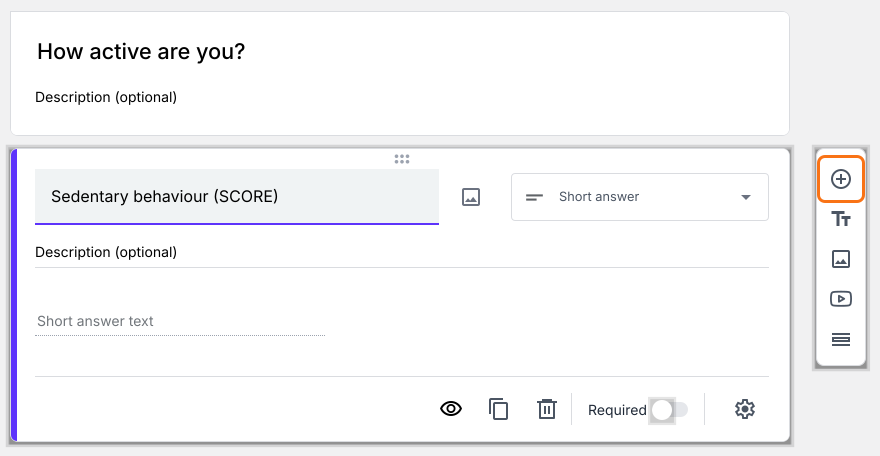
- Your form has one Score question. For each other category score you would like to calculate, click on the Add field icon on the right. It adds a Short answer question. Type the category's name as its title.
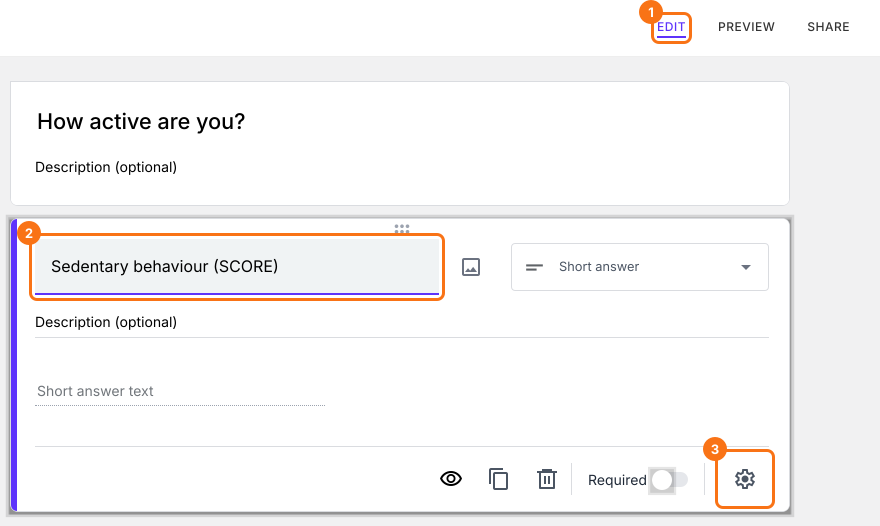
- Click on the score question, then click on the gear icon.
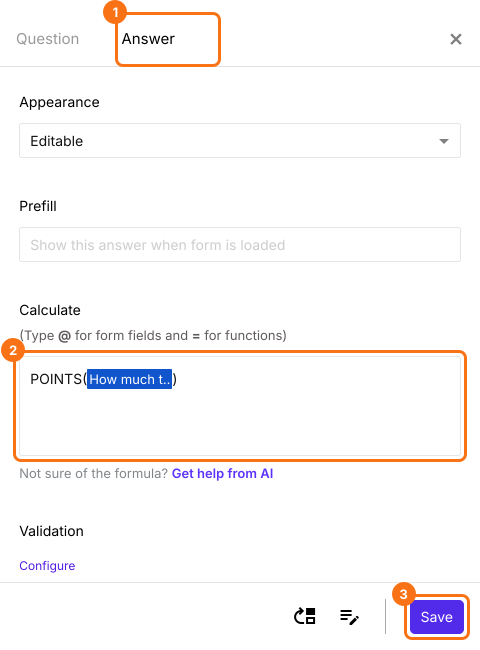
- Click Answer. If the Calculate option already has POINTS(), delete it. In the Calculate option, type POINTS( and then type @ and select a question from this category. Type ) and click Save. To add more questions, type + and another POINTS for each one.
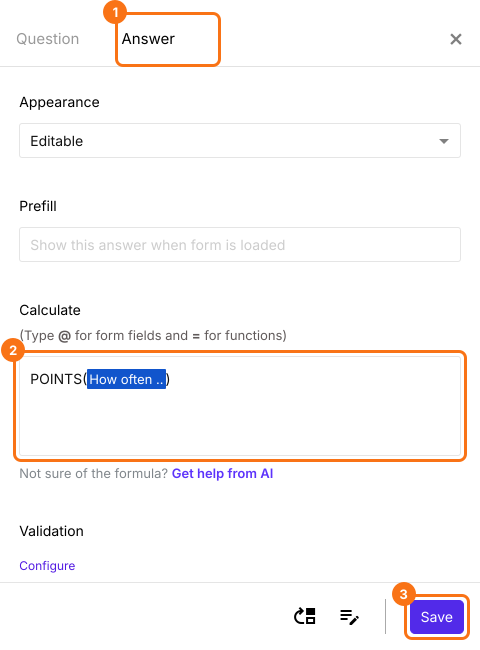
- Similarly, click on the second score question, then click on the gear icon. Click Answer, add the POINTS formula for the questions in this category in the Calculate option and click Save.

Summary
Give your Google Form a score for each category.
Import your questionnaire, add a score question for each category and total its questions with POINTS. People see every category's score as they answer.